
In today’s fast-evolving digital landscape, dental office IT support is no longer a luxury—it’s a necessity for every modern dental practice aiming to deliver seamless patient care and operational efficiency. From electronic health records (EHR) management to digital imaging systems and appointment scheduling, dental clinics now rely heavily on technology to function smoothly. Without reliable IT support, even minor system issues can disrupt daily workflows, lead to costly downtime, and compromise patient satisfaction.
One of the biggest challenges facing dental practices is the integration of multiple digital systems—radiography, billing software, and cloud-based patient management platforms—all requiring constant connectivity and maintenance. This is where dental IT support services come into play. A professional IT team ensures that all your digital assets work harmoniously, minimizing errors and optimizing performance. In fact, studies show that clinics with dedicated IT management experience a 40% reduction in data-related disruptions and a 25% improvement in appointment management efficiency.
Moreover, the importance of cybersecurity in healthcare cannot be overstated. Dental offices handle sensitive personal and medical information that must be safeguarded against data breaches and ransomware attacks. A specialized dental office IT support provider can implement advanced security measures such as encrypted communication channels, multi-factor authentication, and regular system audits to maintain compliance with regulations like HIPAA. As data theft incidents rise globally, having a proactive IT team ensures your clinic remains secure and trustworthy in the eyes of patients.
Beyond security, another major advantage of structured IT support lies in automation and system optimization. Dental software often requires regular updates and compatibility checks with other applications like imaging systems or cloud-based records. With expert IT assistance, your team can focus on delivering exceptional dental care while the technical side is handled seamlessly in the background. Automated backups, remote monitoring, and 24/7 troubleshooting are standard services offered by most reputable providers, ensuring your clinic never experiences unplanned downtime.
Furthermore, dental office IT support directly contributes to the patient experience. Fast-loading digital forms, reliable appointment booking systems, and smooth intraoral imaging contribute to a sense of professionalism and efficiency that patients immediately notice. Technology should enhance the clinical experience, not hinder it. When the network or software functions flawlessly, dental staff can dedicate more time to patient care instead of dealing with slow systems or technical glitches.
Cost efficiency is another major benefit. Many dentists assume that outsourcing IT services is expensive, but in reality, it often saves money in the long run. Instead of hiring full-time technical staff, dental practices can outsource to managed IT service providers who offer comprehensive packages—including network monitoring, hardware management, and cybersecurity—for a fixed monthly rate. On average, dental clinics spend between $300 and $1,200 per month for managed IT services, depending on the size of the practice and the complexity of the systems involved.
Additionally, reliable IT support fosters better compliance with healthcare standards. HIPAA compliance, for instance, demands strict control over data access and secure transmission of patient records. A professional IT team ensures that all devices and software used in your dental practice meet these legal requirements. This not only protects patient information but also shields your practice from hefty fines or reputational damage due to compliance violations.
For clinics seeking to modernize, cloud integration is another critical area managed by IT professionals. Cloud-based platforms allow for real-time collaboration, secure remote access to records, and faster updates to patient files. This is particularly beneficial for multi-location dental chains that require synchronized data access across offices. With dental office IT support experts, data migration and cloud management become safe, efficient, and fully compliant with regulatory standards.
Moreover, aligning your IT systems with best practices recommended by organizations like the American Dental Association enhances operational credibility. These guidelines emphasize technology adoption to improve diagnostic accuracy, patient communication, and administrative efficiency. Implementing such strategies with expert IT support not only boosts productivity but also aligns your practice with industry-leading standards.
Lastly, for clinics looking to scale or integrate advanced technologies such as AI-assisted diagnostics or automated billing, having the right dental office IT support framework is the key foundation. An experienced IT partner ensures scalability without compromising data security or system performance. Whether you’re expanding to multiple locations or adopting tele-dentistry solutions, your IT backbone must evolve accordingly to maintain a high level of service.
To explore how specialized IT services can transform your dental practice, visit our Redent Klinik Contact Page and connect with professionals who understand the unique technological needs of modern dentistry. With the right dental office IT support strategy in place, your clinic can achieve unparalleled efficiency, security, and patient satisfaction—ensuring you stay ahead in today’s competitive healthcare environment.
Why Dental Office IT Support Is Essential for Practice Growth 🦷
Running a successful dental practice in the modern era requires much more than clinical expertise. Today’s dental clinics operate within a highly digital ecosystem that depends on secure data handling, efficient communication systems, and reliable dental software integration. This is why dental office IT support has become a cornerstone of operational excellence and long-term growth. Without a stable and optimized IT infrastructure, even the most advanced dental facilities struggle to maintain consistency, patient satisfaction, and profitability.
The Role of Technology in Modern Dental Practices
In the past, dental offices relied heavily on paper-based systems, but the introduction of electronic health records (EHR), imaging tools, and cloud-based scheduling has completely transformed the industry. These digital systems make patient care faster and more precise—provided they run smoothly. Here’s where dental office IT support steps in to ensure that all systems remain functional, secure, and compliant with data protection regulations.
For example, a single software malfunction can interrupt imaging access, delay appointments, or even cause data loss. An IT support team can detect and resolve these issues before they escalate, providing real-time monitoring and preventive maintenance. This proactive approach reduces downtime, allowing dentists to focus on what truly matters—patient care.
Enhancing Efficiency and Reducing Downtime
Every minute of downtime in a dental practice translates to lost revenue and patient dissatisfaction. With specialized dental office IT support, clinics gain access to continuous system monitoring, remote diagnostics, and scheduled maintenance. These measures drastically cut down the risk of unexpected failures. Efficient IT management means that your imaging software, billing systems, and patient portals all operate seamlessly together.
According to research by healthcare IT analysts, dental practices that employ proactive IT monitoring experience 55% fewer service interruptions than those relying on reactive troubleshooting. That improvement directly contributes to smoother patient flow, optimized staff productivity, and increased appointment volume—all crucial for practice growth.
Real-World Example: Streamlined Workflows
Imagine a medium-sized dental office with three operatories. Each station depends on digital X-rays, intraoral cameras, and cloud-based records. Without structured IT support, any system crash can halt operations across all rooms. A well-organized IT plan minimizes these risks by ensuring network stability, proper server configuration, and regular software updates. The outcome is a more reliable workflow and a significant boost in daily patient throughput.
Protecting Sensitive Patient Information
Beyond operational efficiency, dental office IT support plays a vital role in protecting sensitive patient data. Dental offices handle an immense amount of personal health information (PHI), including medical histories, x-rays, and insurance records. Data breaches not only compromise patient trust but also lead to severe legal and financial repercussions.
By employing dedicated IT support specialists, dental clinics can ensure encryption protocols, regular vulnerability assessments, and compliance with HIPAA and GDPR standards. These measures shield the practice from cyber threats while preserving its reputation. Cybersecurity has now become as critical as sterilization protocols in maintaining a safe and trusted environment.
Improving the Patient Experience
Modern patients expect digital convenience—online booking, quick form submissions, instant digital x-rays, and efficient communication. Reliable dental office IT support enables these services to run smoothly by maintaining website uptime, email systems, and integrated scheduling software. Faster processes create a better first impression, encourage patient retention, and foster positive online reviews—all key drivers for organic growth.
When patients experience minimal waiting times and seamless digital interactions, they are more likely to recommend your clinic to others. This organic word-of-mouth marketing—fueled by reliable technology—creates a steady stream of new patients without additional advertising costs.
Integrating Tele-Dentistry and Remote Consultations
In the post-pandemic era, tele-dentistry has gained popularity. Patients appreciate the ability to consult with dentists virtually for initial assessments or follow-ups. However, this service requires stable networks, secure video platforms, and compliant data transfer systems—all managed under dental office IT support. When properly implemented, tele-dentistry not only expands service offerings but also builds stronger patient relationships and convenience.
Financial Growth Through Smart IT Management
Many dentists underestimate how much financial growth depends on technology. With the right dental office IT support structure, clinics can automate administrative tasks like billing, insurance claims, and patient reminders. These automations reduce human error, save time, and increase the efficiency of front-desk operations. As a result, staff can focus more on patient interaction rather than administrative burdens.
Moreover, IT analytics tools can generate insights about appointment patterns, patient demographics, and operational bottlenecks. This data-driven approach helps clinic owners make informed decisions about staffing, marketing, and resource allocation. Essentially, effective IT support transforms data into actionable intelligence that fuels consistent business growth.
Building Trust and Compliance
Trust is the foundation of every successful dental practice. Patients must feel confident that their personal data and medical records are handled securely. Professional dental office IT support ensures that all digital systems comply with HIPAA regulations, keeping your practice safe from fines and legal exposure. IT teams also train staff on cybersecurity awareness—ensuring that everyone in the clinic plays a part in maintaining data integrity.
Aligning your practice with industry standards from authoritative organizations like the American Dental Association also strengthens your credibility. Implementing their recommended technological protocols, backed by expert IT management, signals that your practice is professional, reliable, and forward-thinking.
In summary, dental office IT support is not just a technical service—it’s the strategic backbone of sustainable growth. It ensures system reliability, enhances patient experiences, protects valuable data, and enables scalability. Whether your goal is to improve daily efficiency, attract more patients, or expand your operations, investing in professional IT management will always yield long-term rewards. For personalized consultation and expert support, visit the Redent Klinik Contact Page to take your practice’s digital performance to the next level.
Top Benefits of Professional IT Support in Dental Clinics
In today’s competitive healthcare environment, dental practices rely heavily on technology to provide efficient, safe, and high-quality care. From managing patient records to handling 3D imaging and secure billing, every part of a modern clinic depends on digital systems. This makes dental office IT support one of the most valuable investments a dental clinic can make. Professional IT support offers a wide range of benefits—from improved system reliability and data security to better patient experiences and cost savings. Let’s explore these benefits in detail.
1. Increased Efficiency and Streamlined Operations
The most immediate benefit of having professional dental office IT support is the significant improvement in day-to-day operations. IT experts handle the setup, configuration, and optimization of your software and hardware systems, ensuring that everything runs at peak performance. From practice management software like Dentrix or Eaglesoft to imaging equipment integration, a reliable IT team ensures minimal lag, quick data access, and seamless coordination between departments.
When your systems are properly maintained, scheduling appointments, accessing dental charts, and processing insurance claims all become faster and smoother. This efficiency directly translates to improved patient throughput, fewer delays, and a better overall workflow for the staff. IT support professionals also implement automation in recurring tasks such as backups, updates, and system monitoring—helping eliminate human error and saving valuable administrative time.
Example: Automating Appointment Reminders
For instance, IT teams can integrate SMS and email automation tools into your scheduling system. This ensures that patients receive appointment reminders without any manual effort from staff. Over time, such automation reduces no-shows and keeps your clinic’s daily operations predictable and organized.
2. Enhanced Cybersecurity and Data Protection
Cybersecurity is one of the most critical reasons why every clinic needs professional dental office IT support. Dental offices are prime targets for cybercriminals because they handle sensitive patient data—names, addresses, medical histories, and financial details. A single data breach could cost thousands of dollars in fines and permanently damage your clinic’s reputation.
Professional IT support provides multilayered protection through encryption, secure firewalls, multi-factor authentication, and endpoint protection. Regular penetration testing and system audits are also conducted to identify vulnerabilities before hackers can exploit them. Furthermore, expert IT providers ensure that your systems comply with the Health Insurance Portability and Accountability Act (HIPAA), minimizing your exposure to legal risk.
By securing your network and devices, your practice can operate confidently, knowing that patient data is always protected. In an era where digital threats are on the rise, cybersecurity isn’t optional—it’s an essential part of responsible dental management.
3. Reduced Downtime and Quick Issue Resolution
Technology downtime in a dental practice can halt operations, disrupt appointments, and frustrate patients. Professional dental office IT support teams provide proactive monitoring and real-time troubleshooting. This approach identifies potential issues before they affect operations, such as storage overloads, software conflicts, or hardware failures.
Instead of waiting for something to go wrong, IT professionals use predictive analytics to spot irregularities and fix them remotely. If a system failure does occur, quick recovery solutions such as automated backups and redundant servers ensure that downtime remains minimal. This proactive support structure keeps your practice running smoothly even during unexpected challenges.
24/7 Support for Dental Practices
Top-tier IT providers offer 24/7 support through phone, email, or remote connection tools. This means even after-hours emergencies can be handled promptly, ensuring uninterrupted service. Continuous uptime builds patient trust and keeps your team productive at all times.
4. Cost Savings Through Managed IT Services
One of the most overlooked benefits of dental office IT support is cost efficiency. Hiring a full-time, in-house IT team can be expensive, especially for small or mid-sized dental offices. Managed IT service providers offer flexible subscription plans that scale with your needs. You pay only for the services you require—whether it’s network monitoring, data backup, cybersecurity, or software management.
Typically, managed IT service plans range between $300 and $1,200 per month, depending on the size and technological complexity of the clinic. This predictable pricing model allows clinics to plan budgets effectively without worrying about sudden repair or replacement costs. By reducing downtime and preventing data breaches, professional IT support delivers excellent long-term return on investment (ROI).
5. Compliance with Legal and Ethical Standards
Dentists handle confidential medical records, so compliance with healthcare regulations like HIPAA and GDPR is non-negotiable. Professional dental office IT support ensures that all systems and data storage solutions meet these legal standards. This includes encryption protocols, user authentication, and controlled access to patient files.
Furthermore, IT experts provide staff training on cybersecurity best practices—teaching employees how to recognize phishing attempts, use strong passwords, and handle data securely. These preventive measures reduce the likelihood of internal security breaches and keep your practice legally compliant.
6. Seamless Integration of New Technologies
The field of dentistry is rapidly evolving with advancements like 3D printing, digital impressions, and AI-driven diagnostics. However, adopting these technologies requires a robust IT foundation. With professional dental office IT support, new systems can be integrated seamlessly into your existing infrastructure without disrupting operations.
Whether you’re adding new imaging equipment or upgrading to a cloud-based dental management system, IT specialists ensure compatibility and data integrity during the transition. This smooth adoption process saves time and prevents costly technical conflicts that often occur when clinics try to implement new technologies without expert guidance.
7. Improved Patient Trust and Satisfaction
Patients may not always notice your network setup or server security—but they do notice how efficiently your clinic runs. When appointments are on time, digital forms load quickly, and imaging results are instantly accessible, it creates a strong impression of professionalism. Behind this smooth experience is effective dental office IT support.
When technology works flawlessly, your staff can focus on patient care rather than troubleshooting errors. This leads to improved communication, shorter wait times, and better overall patient satisfaction. Happy patients are more likely to return and refer others, driving growth through word-of-mouth marketing.
8. Access to Expert Consultation and Scalability
As your dental practice grows, your IT requirements will evolve. Professional dental office IT support providers act as technology partners who guide your expansion. They offer expert consultation on upgrading systems, adding new devices, and scaling your network to accommodate multiple locations.
With cloud-based solutions, your data and systems can scale effortlessly. IT providers help ensure that all locations maintain synchronized patient records and communication tools. This flexibility makes it easier for growing practices to maintain consistency across branches while reducing administrative complexity.
9. Alignment with Industry Standards
Aligning your IT infrastructure with guidelines from reputable organizations like the American Dental Association enhances your credibility. ADA’s best practices recommend the use of secure digital systems, encryption, and standardized software for dental data management. Working with experienced IT professionals ensures that your systems adhere to these standards while optimizing overall performance.
For more details or to consult with an expert team specialized in healthcare technology, visit the Redent Klinik Contact Page. By investing in dedicated dental office IT support, you secure not just your digital infrastructure but also the growth, trust, and long-term success of your dental practice.
How to Choose the Right IT Provider for Your Dental Office
Selecting the right dental office IT support provider can make or break your clinic’s digital efficiency, data security, and overall patient experience. With so many IT companies offering managed services, it’s crucial to find a partner who understands the unique technological demands of dental practices. Unlike standard businesses, dental offices rely on specialized software, regulatory compliance, and real-time patient data handling—all of which require an IT provider with sector-specific expertise. Below, we’ll explore the essential criteria and steps to help you choose the perfect IT partner for your dental practice.
1. Understand the Unique IT Needs of Dental Practices
Before reaching out to any provider, it’s important to clearly define your clinic’s technological needs. Dental practices require more than just basic computer maintenance—they depend on intricate systems such as imaging software, dental management platforms (like Dentrix, Open Dental, or Eaglesoft), and secure data storage compliant with HIPAA regulations. Therefore, your IT provider must have hands-on experience managing these industry-specific tools.
An expert in dental office IT support understands the nuances of managing high-resolution radiography systems, ensuring that imaging data is transferred securely and efficiently between operatories and servers. They also provide network segmentation and bandwidth prioritization to keep clinical systems running smoothly even during high data traffic.
Checklist of Specialized Dental IT Needs:
- HIPAA-compliant data encryption and storage solutions
- Integration with imaging and diagnostic tools
- Real-time backup and disaster recovery systems
- 24/7 network monitoring and troubleshooting
- Secure wireless connectivity across operatories
By understanding these needs, you’ll be able to communicate your requirements clearly to potential providers and evaluate whether they can handle the complexity of dental technology.
2. Evaluate Industry Experience and Expertise
Not all IT providers are created equal. When it comes to dental office IT support, experience within the healthcare and dental industry is essential. Ask potential providers how many dental clients they currently serve, and whether they’ve worked with practices similar in size and scope to yours. Providers familiar with dental software and compliance regulations can anticipate potential issues before they occur, ensuring minimal downtime and maximum productivity.
Experienced providers also bring a proven track record in implementing solutions that align with ADA and HIPAA standards. For instance, a general IT firm might know how to secure a network, but only a dental-focused provider understands how to configure radiographic systems or manage patient record software without disrupting clinical workflows.
3. Verify Security and Compliance Standards
Cybersecurity and compliance are at the heart of any professional dental office IT support plan. Patient health data is a primary target for cybercriminals, so the IT provider you choose must adhere to the highest data protection protocols. Ask about their approach to encryption, access control, and disaster recovery. Do they conduct regular security audits? Are their systems aligned with both national and international data regulations such as HIPAA and GDPR?
Moreover, your IT provider should actively train your team on proper cybersecurity behavior—recognizing phishing emails, using strong passwords, and securely accessing remote systems. This ongoing education reduces the risk of internal security breaches, which are among the most common causes of data leaks in healthcare environments.
4. Assess Service Availability and Support Response Time
One of the most important aspects of effective dental office IT support is availability. Technology issues rarely occur during convenient hours, and when they do arise, your clinic can’t afford to wait. Make sure your IT partner offers 24/7 monitoring and emergency response services. Ask about their average response time for support tickets and whether they offer remote troubleshooting.
Key Questions to Ask IT Providers:
- Do you provide remote and on-site support?
- What is your guaranteed response time for critical issues?
- Do you proactively monitor systems for potential problems?
- How do you handle after-hours emergencies?
Fast and reliable response times mean your clinic can maintain patient appointments without major interruptions, safeguarding both your revenue and reputation.
5. Consider Scalability and Future Growth
As your dental practice expands, your IT infrastructure must evolve accordingly. A forward-thinking dental office IT support provider designs systems that are easily scalable, accommodating new operatories, additional staff, or even multiple clinic locations. Cloud-based systems and virtual networks are particularly useful for multi-branch practices that need real-time access to shared data.
Ask potential IT partners how they plan for growth and whether their systems can handle increased patient volume, more devices, and higher data storage needs. The ideal provider won’t just fix problems—they’ll help future-proof your practice by implementing scalable technology solutions.
6. Transparency in Pricing and Service Packages
Transparent pricing is a mark of a trustworthy IT provider. Avoid contracts that include vague “maintenance fees” or hidden costs for essential services. A reliable dental office IT support partner should clearly outline what’s included in their service plan, whether it’s data backup, security monitoring, or software updates.
Typically, comprehensive managed IT support packages for dental offices range between $400 and $1,200 per month, depending on the practice size and technical requirements. This predictable cost model helps you plan your IT expenses without unexpected financial surprises.
7. Evaluate Customer Reviews and References
Before signing any contracts, request testimonials or contact information for existing dental clients. Honest feedback will give you insight into how the IT provider handles real-world challenges. A reputable company offering dental office IT support should have a portfolio of satisfied clients willing to vouch for their reliability and responsiveness.
Check online reviews and professional associations for any red flags or unresolved complaints. Reliable providers often have partnerships or certifications from trusted organizations such as the American Dental Association or Microsoft.
8. Prioritize Communication and Partnership Mentality
Lastly, consider the human side of your partnership. The best dental office IT support providers act as long-term collaborators who understand your goals and challenges. They don’t just fix problems—they anticipate them. Look for a provider that communicates clearly, provides performance reports, and is proactive in recommending improvements to your digital systems.
Remember, IT support is not a one-time purchase—it’s an ongoing relationship that evolves with your practice. A provider who prioritizes communication, reliability, and transparency will become an integral part of your clinic’s success.
To take the first step toward choosing the right IT partner for your clinic, reach out via the Redent Klinik Contact Page. With expert guidance, your dental office IT support can become a powerful engine for efficiency, security, and sustainable growth in your dental practice.
Cybersecurity in Dentistry: Protecting Patient Data Effectively 🔒
In the age of digital dentistry, patient data has become one of the most valuable assets a clinic possesses. From radiographic images to treatment plans and billing information, everything is stored electronically—making dental offices potential targets for cyber threats. That’s why dental office IT support is indispensable for maintaining a secure, compliant, and trustworthy digital environment. Without robust cybersecurity measures, a single breach could jeopardize patient trust, violate HIPAA regulations, and cause severe financial losses. This section explores how cybersecurity plays a critical role in dental practices and how professional IT support safeguards sensitive data every day.
1. Understanding Cyber Threats in Dental Practices
Cyberattacks on healthcare organizations have increased dramatically in recent years, and dental clinics are no exception. Common threats include ransomware, phishing emails, malware infections, and unauthorized data access. Hackers often target smaller medical offices because they assume these facilities have weaker defenses. Unfortunately, the consequences of an attack can be devastating—loss of patient data, system downtime, and even permanent damage to a clinic’s reputation.
Professional dental office IT support acts as a protective barrier against these evolving cyber threats. IT teams constantly monitor systems for suspicious activity, ensuring that vulnerabilities are detected and mitigated before they can be exploited. A dental IT specialist knows how to secure practice management systems, imaging software, and patient databases through multi-layered defense mechanisms.
Common Cyber Threats in Dentistry:
- Ransomware: Malware that locks files until a ransom is paid, often crippling operations for days.
- Phishing: Fraudulent emails that trick staff into revealing login credentials or downloading malware.
- Data Theft: Unauthorized access to patient records for identity theft or black-market resale.
- Insider Breaches: Employees unintentionally compromising data through negligence or misuse.
With proactive IT management, these risks are drastically minimized through proper employee training, continuous monitoring, and automated detection systems.
2. The Role of Encryption and Secure Data Storage
Encryption is the foundation of data protection. It ensures that even if unauthorized individuals gain access to your system, the data remains unreadable without a decryption key. An expert dental office IT support provider implements encryption protocols for all patient records, emails, and file transfers—both in storage and during transmission.
Furthermore, secure cloud storage solutions are designed to meet HIPAA compliance requirements. This guarantees that sensitive data, such as x-rays and treatment notes, are protected by advanced access controls, audit trails, and automatic redundancy. IT support teams regularly perform integrity checks and backups to prevent data corruption or accidental loss. This ensures your clinic can restore all information quickly in the event of a system failure or natural disaster.
Key Features of Secure Data Systems:
- End-to-end encryption for all patient data
- Regular off-site and cloud backups
- Strict access control with multi-factor authentication
- Automated alerts for unauthorized access attempts
By implementing these measures, your dental office can maintain full compliance with healthcare data protection laws while safeguarding patient trust.
3. HIPAA Compliance and Legal Protection
In the United States, the Health Insurance Portability and Accountability Act (HIPAA) mandates strict data protection standards for all healthcare entities. Dental practices must follow these rules when handling patient health information. Non-compliance can lead to fines of up to $50,000 per violation and severe legal consequences.
With professional dental office IT support, your systems are automatically configured to meet HIPAA standards. IT specialists conduct regular security audits, ensure that access logs are maintained, and keep all software up to date. They also assist in creating documentation for compliance verification in case of audits or inspections. By partnering with an IT provider that understands healthcare law, your clinic can focus on patient care while remaining fully compliant.
4. Employee Training and Awareness
Even with the best technology in place, human error remains one of the biggest threats to cybersecurity. A well-structured dental office IT support plan includes staff training to educate employees about cyber hygiene and safe data practices. This includes recognizing phishing emails, safely handling external devices, and maintaining strong password protocols.
Regular training sessions ensure that everyone—from receptionists to dentists—understands their role in protecting patient data. Awareness campaigns also help foster a security-first culture within the clinic, significantly reducing the likelihood of accidental data breaches.
Best Practices for Dental Staff:
- Use strong, unique passwords for all accounts
- Never open attachments from unknown senders
- Log out of systems when not in use
- Report suspicious activity to IT immediately
By making cybersecurity a shared responsibility, dental clinics strengthen their defense against evolving threats.
5. Regular Auditing and Proactive Monitoring
Continuous system monitoring is the backbone of modern cybersecurity. Professional dental office IT support providers use advanced monitoring tools to detect anomalies in real time—such as unusual data access patterns or failed login attempts. These early warning systems allow IT teams to respond instantly, minimizing the damage caused by potential attacks.
Periodic audits also ensure that security configurations remain effective and updated. Outdated antivirus software or unpatched systems can create vulnerabilities that hackers exploit. Routine maintenance keeps all network devices—servers, routers, and computers—secured with the latest security updates.
6. Building Patient Trust Through Transparency
Patients today are more digitally aware than ever. They expect healthcare providers to treat their personal data with the same care as their health. By implementing professional dental office IT support and communicating your security measures to patients, you build trust and confidence in your clinic.
For example, posting a brief cybersecurity policy on your website or patient portal demonstrates that you value data protection. This transparency can enhance your reputation, particularly among patients who prioritize digital privacy.
7. The Financial Impact of Cybersecurity Investment
While some dental offices hesitate to invest in IT security due to perceived costs, the reality is that prevention is far less expensive than recovery. The average cost of a data breach in healthcare exceeds $9 million, according to recent studies. By contrast, managed IT support costs between $400 and $1,000 per month—a fraction of potential loss. Investing in cybersecurity not only protects data but also ensures business continuity, reputation preservation, and legal compliance.
8. Partnering with the Right IT Experts
Choosing the right cybersecurity partner is vital. Look for a dental office IT support provider with a proven record in healthcare security. They should offer encryption, penetration testing, secure email gateways, and compliance reporting. Reputable IT partners often follow guidelines set by organizations like the American Dental Association, ensuring that all systems align with industry best practices.
To explore how professional cybersecurity and IT management can protect your dental clinic, contact us via the Redent Klinik Contact Page. With specialized dental office IT support, your practice will stay secure, compliant, and resilient—ready to deliver safe, uninterrupted dental care in the digital era.
Cloud Solutions and Data Backup for Dental Practices
In the digital age, every dental practice relies on data—from patient records and appointment logs to imaging files and billing systems. Losing this data due to hardware failure, ransomware, or human error could cripple an entire clinic. That’s why modern dental office IT support emphasizes cloud solutions and data backup strategies as the backbone of operational reliability and security. A well-designed cloud infrastructure not only prevents data loss but also improves collaboration, mobility, and compliance across your dental office network.
1. Why Cloud Technology Is Revolutionizing Dental IT Systems
Cloud technology has transformed how dental clinics manage their operations. Instead of storing everything locally on vulnerable office computers or on-site servers, cloud platforms store information securely online—allowing authorized access from any device or location. This flexibility is crucial for dental professionals who manage multiple clinics, offer tele-dentistry consultations, or need to review imaging results remotely.
Professional dental office IT support providers help set up and maintain secure, HIPAA-compliant cloud environments that sync real-time data between operatories, reception desks, and billing offices. By moving critical applications like Dentrix, Open Dental, and Eaglesoft to the cloud, practices gain speed, accessibility, and superior reliability. Furthermore, automated updates ensure that your systems are always running the latest versions without manual intervention.
Advantages of Cloud Integration:
- Access patient records securely from anywhere.
- Eliminate the risk of local server failures.
- Ensure automatic software and security updates.
- Enhance collaboration between departments or multiple locations.
By leveraging cloud computing, dental offices can dramatically improve productivity while reducing IT overhead and downtime.
2. Data Backup: The Cornerstone of Digital Resilience
While prevention is vital, data loss can still occur due to unforeseen events such as cyberattacks, power surges, or system malfunctions. That’s why robust data backup solutions are essential. A reliable dental office IT support strategy includes both onsite and offsite backups—ensuring data can be restored quickly in any emergency.
Onsite backups (stored on local servers or hard drives) offer quick recovery times, while offsite or cloud-based backups protect against disasters like theft or fire. Combining both methods, often referred to as a hybrid backup strategy, gives dental clinics the best of both worlds: speed and security.
Key Backup Practices for Dental Clinics:
- Schedule automatic daily backups for all patient data.
- Encrypt backup files to prevent unauthorized access.
- Test backup recovery regularly to ensure reliability.
- Maintain redundant copies across multiple geographic locations.
Professional IT providers often use enterprise-grade solutions like Azure Backup, AWS S3, or Google Cloud Storage—all configured for HIPAA compliance. These services ensure that dental records, x-rays, and sensitive patient documents are retrievable even in catastrophic situations.
3. HIPAA Compliance in Cloud Storage
Dentists must comply with the Health Insurance Portability and Accountability Act (HIPAA), which outlines strict data protection and access standards. Violations can lead to fines, lawsuits, and severe reputation damage. A compliant dental office IT support provider ensures that your cloud storage provider offers encryption, audit logs, and strict access control.
When choosing a cloud service, ensure the vendor signs a Business Associate Agreement (BAA). This legally binds them to uphold HIPAA regulations. IT professionals manage this process on your behalf, guaranteeing that every piece of patient information—from digital x-rays to consent forms—is securely stored, transmitted, and monitored.
4. The Role of Automation in Data Protection
Automation is the unsung hero of modern data management. Automated systems minimize the risk of human error by performing scheduled backups, monitoring data integrity, and sending alerts if anomalies are detected. Advanced dental office IT support teams use AI-driven tools to predict potential storage failures and initiate preemptive actions before issues escalate.
For instance, predictive maintenance systems can identify failing hard drives or corrupted files before they cause data loss. This level of automation ensures uninterrupted dental services and optimal operational efficiency—something no manual process can consistently achieve.
5. Disaster Recovery and Business Continuity Planning
Even with the best preventive measures, disasters can happen. A fire, flood, or ransomware attack could halt operations for days—or weeks—if your practice lacks a proper disaster recovery plan. That’s why comprehensive dental office IT support includes detailed business continuity planning (BCP). This ensures that data, applications, and systems are restored quickly after any incident.
In most professional setups, recovery time objectives (RTO) are defined clearly. For example, mission-critical systems like patient databases or imaging software should be restored within hours. Regular disaster simulations help ensure readiness and minimize disruption. Cloud replication services further enable instant access to mirrored environments—meaning your clinic can resume operations almost immediately, even if physical infrastructure is compromised.
6. Cost Benefits of Cloud and Backup Solutions
Cloud-based infrastructure can drastically reduce operational costs by eliminating the need for expensive local servers and maintenance. Managed dental office IT support plans typically include backup and storage services in one predictable monthly fee—usually between $400 and $1,200 per month, depending on practice size. Additionally, cloud storage allows for pay-as-you-go scalability, so you only pay for the data you use. This flexibility makes it easier to expand as your patient base grows, without large upfront investments.
Compared to traditional hardware setups, cloud infrastructure also reduces electricity consumption and cooling costs, supporting environmentally friendly operations while maintaining high performance.
7. Multi-Location and Mobile Access Advantages
Cloud systems make it easier for dental practices with multiple locations to share and manage patient data securely. For example, a dentist working in one branch can access patient imaging and charts from another location instantly. This ensures continuity of care and streamlines internal collaboration.
Modern dental office IT support setups also allow secure mobile access for dentists and authorized staff. Whether checking records during an emergency or reviewing treatment plans remotely, cloud access gives flexibility without sacrificing security.
8. Selecting a Reliable Cloud Provider
Not all cloud providers are equal. Dental offices should choose partners who understand healthcare compliance and data sensitivity. Look for vendors with strong uptime guarantees (99.9% or higher), data encryption, and continuous monitoring. Reputable IT partners often recommend and configure services that align with the American Dental Association’s digital data protection guidelines.
Before signing any agreement, verify whether your chosen provider includes support for real-time data syncing, multi-device compatibility, and secure patient portals. These features ensure that both staff and patients experience efficient, tech-driven dental care.
9. Building the Future of Secure Dentistry
Cloud technology isn’t just about convenience—it’s about creating a resilient, future-ready digital foundation. As dental practices embrace 3D imaging, AI diagnostics, and real-time tele-dentistry, cloud integration becomes essential. Partnering with a dental office IT support provider who specializes in secure cloud systems ensures your clinic remains competitive, compliant, and efficient for years to come.
To learn how your dental clinic can benefit from advanced cloud solutions and professional IT management, contact us via the Redent Klinik Contact Page. With tailored dental office IT support, you can guarantee that every byte of patient data is safe, accessible, and always ready—no matter what challenges arise.
Common IT Challenges Faced by Dental Offices (and How to Solve Them)
Even with the rapid digital transformation of healthcare, many dental clinics still struggle with recurring technology issues that affect daily operations, patient satisfaction, and data security. From outdated systems and slow networks to compliance concerns and unexpected downtime, these challenges can significantly disrupt a clinic’s workflow. This is why dental office IT support is so crucial—it not only resolves technical issues but also prevents them before they occur. Let’s explore the most common IT challenges dental offices face today and how professional support can solve them effectively.
1. Slow Network Performance and Connectivity Issues
In a busy dental office, every second counts. Slow internet connections, lagging computers, or unstable Wi-Fi networks can delay everything from digital X-ray loading to appointment scheduling. Such inefficiencies frustrate both staff and patients, reducing the clinic’s overall productivity.
With professional dental office IT support, your network infrastructure can be optimized for performance. IT experts assess the existing setup, configure routers, and prioritize bandwidth for mission-critical systems like imaging, billing, and EHR access. They can also establish dedicated guest networks, ensuring patient Wi-Fi use doesn’t interfere with core operations. Regular monitoring tools detect bandwidth bottlenecks before they slow down the system, keeping workflows smooth and consistent.
Solutions for Network Optimization:
- Implement business-grade routers and firewalls with Quality of Service (QoS) settings.
- Separate patient Wi-Fi from internal clinical systems.
- Upgrade outdated cables or network switches to Gigabit or fiber connections.
- Conduct periodic speed and reliability audits through managed IT services.
2. Outdated Hardware and Software
Many dental clinics use legacy hardware or outdated software due to budget constraints or fear of disrupting operations. However, these outdated systems can lead to slow performance, incompatibility issues, and increased vulnerability to cyberattacks. Old equipment is often unable to run modern dental software efficiently, resulting in costly downtime.
A dedicated dental office IT support provider regularly audits your infrastructure, identifies obsolete systems, and recommends cost-effective upgrades. They help transition to newer, faster devices and ensure all software remains up-to-date and fully licensed. Automation tools are used to install critical patches and security updates seamlessly, preventing system crashes and vulnerabilities.
Benefits of Keeping Systems Up to Date:
- Improved speed and system reliability
- Enhanced data security and fewer breaches
- Better integration with dental imaging and practice management software
- Long-term cost savings through preventive maintenance
3. Cybersecurity Threats and Data Breaches
Data protection remains one of the biggest challenges for dental practices. Sensitive patient information—medical records, insurance details, and payment data—is constantly at risk from cybercriminals. Many clinics lack the resources to implement advanced security protocols, leaving them vulnerable to phishing attacks, ransomware, or insider threats.
Professional dental office IT support teams provide comprehensive cybersecurity frameworks. They implement firewalls, encryption, multi-factor authentication, and continuous monitoring to prevent breaches. In case of a threat, automatic alerts and rapid response procedures ensure immediate action. IT providers also conduct employee awareness training, as human error often causes data leaks.
Essential Security Measures for Dental Clinics:
- HIPAA-compliant encryption and backup solutions
- Anti-ransomware systems and malware scanning
- Secure password management and authentication tools
- 24/7 threat detection and incident response plans
4. Inconsistent Data Backup and Recovery Plans
Data loss—whether caused by human error, system failure, or cyberattack—can paralyze a dental office. Unfortunately, many clinics still rely on outdated or manual backup methods. Without an automated, secure, and regularly tested backup system, recovery after data loss can be time-consuming or even impossible.
Reliable dental office IT support ensures that every piece of data is backed up automatically to both on-site and cloud-based systems. Redundant storage guarantees that even if one backup fails, another copy remains accessible. Additionally, IT providers schedule routine recovery tests to confirm that backups are functional and recoverable in real-world scenarios.
Key Backup Features to Implement:
- Automated daily backups to encrypted cloud servers
- Version control for easy recovery of past records
- Disaster recovery protocols for quick restoration
- Hybrid (local + cloud) backup models for maximum reliability
5. Lack of Integration Between Dental Software Systems
Many dental offices use multiple disconnected software tools—billing, imaging, patient scheduling, and recordkeeping—all operating independently. This lack of integration leads to inefficiencies, redundant data entry, and increased chances of human error.
Comprehensive dental office IT support bridges this gap by integrating different platforms through secure APIs and synchronization tools. When systems communicate seamlessly, data flows effortlessly between front-desk operations, clinical workstations, and administrative departments. This leads to faster patient processing, reduced errors, and a more cohesive workflow.
Examples of Effective Software Integration:
- Linking radiography software with EHR and patient management tools
- Automating billing between accounting and insurance platforms
- Syncing appointment data across multiple branches
- Centralizing all communications under a unified dashboard
6. Compliance and Regulatory Challenges
Dental offices must follow strict data protection regulations like HIPAA (in the U.S.) or GDPR (in the EU). Non-compliance can result in severe fines, lawsuits, and loss of patient trust. Unfortunately, many clinics overlook compliance due to the complexity of these laws.
Dedicated dental office IT support ensures ongoing compliance by setting up access control systems, encryption, audit logs, and secure communication channels. IT teams also conduct regular compliance audits, ensuring that every digital touchpoint—from imaging devices to email communications—meets legal standards. This not only safeguards patient information but also boosts your clinic’s credibility.
7. Limited Technical Knowledge Among Staff
Dental professionals are experts in oral health, not IT. Without proper training, employees might inadvertently cause technical problems, such as accidentally deleting files or clicking on phishing links. Ongoing staff education is critical for a secure and efficient digital environment.
Experienced dental office IT support providers offer tailored staff training sessions that cover cybersecurity, software use, and basic troubleshooting. This minimizes errors, enhances confidence, and promotes smoother collaboration between staff and systems.
8. Unexpected Downtime and Productivity Loss
System crashes, network outages, and hardware failures can bring a dental clinic’s daily operations to a halt. Every minute of downtime results in lost appointments and revenue. IT teams prevent this through proactive monitoring and redundancy planning. If an issue does arise, remote access tools allow immediate troubleshooting without waiting for on-site visits.
With a strong dental office IT support strategy, uptime rates can exceed 99.9%. This ensures your staff can focus on delivering excellent patient care instead of worrying about technical glitches.
9. Ensuring Ongoing Maintenance and Scalability
Finally, one of the biggest challenges is keeping up with growth. As your dental practice expands, so do your IT needs—more workstations, more data, and more complex workflows. Professional IT partners plan for scalability by recommending infrastructure upgrades, cloud expansion, and cybersecurity enhancements tailored to your evolving goals.
Reliable dental office IT support grows with your business, ensuring that technology supports—not limits—your success. For expert consultation on overcoming IT challenges in your clinic, visit the Redent Klinik Contact Page. A secure, efficient, and future-ready IT foundation will help your dental practice deliver the best patient experience while maintaining compliance, reliability, and peace of mind.
For additional resources and compliance guidance, refer to the American Dental Association, which provides extensive materials on IT and data security best practices for dental professionals.
Integrating Dental Software and Hardware for Seamless Operations
In a modern dental clinic, technology integration is the key to efficiency and precision. When dental imaging tools, patient management systems, and administrative software communicate seamlessly, everything from diagnosis to billing becomes faster and more reliable. However, many practices struggle with fragmented systems that don’t interact properly. This is where dental office IT support becomes indispensable. By integrating software and hardware into a unified ecosystem, IT professionals ensure smooth workflows, improved accuracy, and an enhanced patient experience.
1. The Importance of System Integration in Dentistry
Dentistry has evolved far beyond basic x-rays and paper charts. Clinics now use advanced tools such as 3D scanners, digital radiography, CAD/CAM machines, and cloud-based practice management software. These tools generate large volumes of data that must be shared between different systems efficiently. When systems operate in silos, staff must manually transfer data, leading to errors and wasted time.
Professional dental office IT support teams specialize in creating interoperability between these technologies. They configure and network all systems—clinical and administrative—so that patient records, imaging results, and billing details are automatically synchronized. This integration not only saves time but also ensures consistent and error-free patient data across all departments.
Key Areas of Integration:
- Digital imaging software with practice management systems
- Intraoral cameras linked to patient records
- Billing and insurance software synchronization
- Cloud data sharing for multi-location practices
With seamless data flow, dental professionals can make more informed clinical decisions while providing patients with faster, more accurate services.
2. Common Integration Challenges in Dental Offices
One of the biggest obstacles to effective system integration is vendor incompatibility. Many software and hardware vendors use proprietary formats that don’t communicate with other tools. This often forces staff to perform repetitive data entry or use manual workarounds. Additionally, outdated systems or legacy servers can cause bottlenecks and crashes during data exchange.
Dedicated dental office IT support providers solve these issues by acting as technical mediators. They ensure that software from different manufacturers communicates through secure APIs, middleware, or cloud synchronization services. IT experts also configure database permissions, server access, and network prioritization to maintain fast, stable data transmission between devices.
Examples of Compatibility Solutions:
- Using HL7 or FHIR standards to unify clinical data exchange
- Integrating Open Dental with imaging systems like Dexis or Carestream
- Configuring data mapping between billing platforms and practice software
- Implementing cloud-based bridges for remote collaboration
These integrations eliminate workflow friction, enabling every team member—from the dentist to the receptionist—to access consistent information instantly.
3. Enhancing Workflow Efficiency Through Automation
Automation is a powerful byproduct of proper integration. Once software and hardware are synchronized, everyday administrative and clinical tasks can be automated. Appointment scheduling, patient reminders, and image uploads can occur without manual input. With advanced dental office IT support, even insurance verification and billing can be streamlined using API-based automation tools.
Automation not only increases accuracy but also frees up time for dental professionals to focus on patient care. Clinics can reduce operational costs while improving service speed—two crucial factors in maintaining patient satisfaction and profitability.
Automation Benefits Include:
- Automatic syncing of patient files between workstations
- Instant image uploads from intraoral scanners
- Real-time insurance claim updates
- Faster billing and reduced administrative burden
4. The Role of IT Support in Hardware Integration
While software integration often gets the most attention, hardware integration is equally vital. Digital x-ray sensors, 3D printers, milling units, and sterilization tracking devices all need reliable connections to the clinic’s network. Improper configuration can lead to hardware malfunctions or data transmission errors.
With professional dental office IT support, hardware setup is handled meticulously. IT technicians ensure that all devices are connected through secure, high-speed networks. They also manage driver compatibility, power management, and firmware updates. Preventive maintenance schedules are established to avoid unexpected hardware failures during busy clinical hours.
Examples of Hardware Integration Tasks:
- Configuring intraoral cameras with cloud storage systems
- Linking CBCT and panoramic imaging devices to EHR systems
- Optimizing workstation networks for image-heavy workloads
- Implementing centralized server management for all connected devices
When all devices operate within a cohesive network, image uploads, scans, and chart updates happen instantly—without data corruption or lag.
5. Security and Compliance in Integrated Systems
System integration must always prioritize security. Improperly configured networks can expose patient data to cyber threats. Professional dental office IT support ensures that all integration processes comply with HIPAA and ADA cybersecurity guidelines. This includes encrypting communication between devices, restricting unauthorized access, and performing vulnerability testing regularly.
Additionally, IT providers implement role-based permissions so that only authorized staff can access specific patient data. These measures protect both your clinic’s reputation and patient trust while meeting all regulatory requirements.
6. Multi-Location Data Synchronization and Remote Access
For dental groups with multiple branches, data synchronization across locations is critical. Without proper integration, staff might struggle with inconsistent patient records or duplicate entries. Dental office IT support specialists configure cloud-based central servers that automatically sync records, schedules, and imaging data across all offices.
Furthermore, remote access tools allow dentists to review cases or imaging results securely from outside the clinic. IT professionals establish virtual private networks (VPNs) and secure cloud portals to ensure HIPAA-compliant remote collaboration.
Multi-Location Integration Advantages:
- Unified patient records across all branches
- Secure cloud access for dentists and staff
- Reduced administrative duplication
- Centralized system management and updates
7. Cost and ROI of Integration Services
While integration may seem like a significant investment, the long-term return is substantial. A unified IT ecosystem reduces downtime, eliminates data errors, and accelerates workflows. Managed dental office IT support plans typically include integration maintenance, updates, and ongoing monitoring at predictable monthly costs—ranging from $500 to $1,200 per month depending on clinic size and complexity.
By preventing inefficiencies, clinics can recover the investment through increased appointment volume, reduced technical interruptions, and enhanced staff productivity.
8. Partnering with Expert IT Providers
Choosing an IT provider with experience in dental software and hardware integration is vital. The best partners work closely with clinic administrators to design personalized setups tailored to each practice’s needs. Reputable firms also follow the standards set by the American Dental Association for secure, efficient, and compliant digital workflows.
Before finalizing any integration project, IT professionals perform end-to-end testing to confirm that all systems operate seamlessly under real conditions—eliminating issues before they affect patients or staff.
9. Building a Fully Connected Dental Ecosystem
The future of dentistry is fully digital and interconnected. From AI-based diagnostics to virtual consultations, integration is the foundation that supports these innovations. By investing in expert dental office IT support, your clinic can achieve complete system harmony—bridging clinical precision, administrative efficiency, and patient satisfaction.
To learn how your clinic can integrate all its dental technologies under a single, secure system, visit the Redent Klinik Contact Page. With the right dental office IT support, your dental practice can operate as a unified, intelligent ecosystem ready to meet the demands of modern dentistry.
Cybersecurity Best Practices for Dental Offices 🛡️
In today’s interconnected healthcare environment, cybersecurity has become as essential as sterilization in dental practice management. Every dental clinic handles a large volume of confidential patient data, including x-rays, insurance details, and medical histories—all of which are valuable targets for cybercriminals. As threats evolve, maintaining strong digital defenses through professional dental office IT support is critical for safeguarding patient trust, ensuring regulatory compliance, and protecting business continuity.
1. Why Cybersecurity Matters in Dentistry
Dental offices are often considered soft targets for cyberattacks because they possess sensitive data but may lack robust IT defenses. A single breach can expose thousands of patient records, leading to HIPAA violations, costly fines, and irreversible damage to a clinic’s reputation. Beyond compliance, cybersecurity also affects daily operations. Ransomware attacks can lock access to essential software, halting all appointments and billing processes until systems are restored.
Partnering with a trusted dental office IT support provider ensures that your infrastructure is continuously monitored, patched, and protected against emerging threats. This proactive approach helps clinics stay one step ahead of cybercriminals and avoid operational disruptions that impact patient care.
Key Cybersecurity Goals for Dental Clinics:
- Protect sensitive patient health information (PHI)
- Maintain compliance with HIPAA and ADA guidelines
- Prevent ransomware and phishing attacks
- Ensure business continuity with disaster recovery plans
2. Common Cyber Threats Targeting Dental Practices
While large hospitals often make headlines for cyber incidents, small to medium-sized dental offices face similar risks. The most common threats include:
- Phishing Attacks: Cybercriminals impersonate trusted entities to trick staff into revealing login credentials or downloading malware.
- Ransomware: Malicious software that encrypts your data and demands payment for access restoration.
- Insider Threats: Employees, either intentionally or accidentally, compromise sensitive information through negligence.
- Unpatched Systems: Outdated software creates vulnerabilities that attackers can easily exploit.
Effective dental office IT support mitigates these threats by implementing real-time monitoring systems, network firewalls, intrusion detection, and robust employee training programs. These layers of defense create a secure digital perimeter around your entire practice.
3. Data Encryption and Secure Communication
Encryption ensures that even if unauthorized parties access your data, they cannot read or misuse it. This applies to patient records stored on servers, communications sent via email, and even files transmitted between imaging devices and cloud storage. Advanced dental office IT support solutions deploy full-disk encryption for workstations, end-to-end encryption for communications, and SSL/TLS protocols for websites and patient portals.
Best Practices for Encryption:
- Enable automatic encryption for all stored and transmitted data.
- Use SSL certificates on websites to protect online patient interactions.
- Encrypt backup files stored both locally and in the cloud.
- Regularly update encryption algorithms to meet current standards.
These measures prevent unauthorized access to confidential information and maintain compliance with healthcare data protection laws.
4. Implementing Access Control and Authentication
Not every staff member needs access to every file or system. Without clear access control, data leaks and internal misuse become major risks. A specialized dental office IT support team sets up role-based access permissions—ensuring that only authorized users can access sensitive patient data. Additionally, multi-factor authentication (MFA) is implemented across all platforms to provide an extra layer of security.
For example, even if a hacker steals a password, MFA requires a secondary verification step (such as a code sent to a phone), preventing unauthorized logins. IT teams also maintain detailed access logs to monitor and audit all system activity, ensuring accountability.
5. Regular Software Updates and Patch Management
Outdated software is one of the leading causes of data breaches in dental clinics. Every unpatched vulnerability is an open door for cybercriminals. That’s why modern dental office IT support services automate the update process—ensuring all systems, from operating systems to dental imaging software, receive timely patches. This minimizes exposure and maintains optimal performance across all workstations and servers.
Essential Tools Used by IT Support:
- Patch management automation software
- Centralized IT dashboards for system status monitoring
- Automatic reboot scheduling to apply critical updates
- Version control to maintain compatibility with other dental software
6. Employee Cybersecurity Training
Human error remains the weakest link in any security chain. Even the most advanced systems can fail if staff are unaware of basic cyber hygiene. That’s why comprehensive dental office IT support includes regular employee training sessions. These sessions cover how to recognize phishing emails, safely handle USB drives, create strong passwords, and report suspicious activity.
Many IT providers also conduct simulated phishing exercises to test awareness and identify staff members who may need additional training. Over time, this builds a culture of security mindfulness within the clinic.
7. Backup and Disaster Recovery Planning
Even the best defenses can be breached, so having a robust backup plan is essential. IT experts implement automated, encrypted backups stored in multiple locations (local and cloud). In case of ransomware or data corruption, these backups allow quick restoration with minimal downtime.
A well-prepared dental office IT support plan defines clear recovery time objectives (RTOs) and recovery point objectives (RPOs). This ensures that your clinic can resume operations within hours after an incident, without losing critical patient information.
8. Compliance with HIPAA and Industry Standards
The Health Insurance Portability and Accountability Act (HIPAA) mandates strict data protection rules for healthcare providers, including dentists. Compliance is non-negotiable. Failure to adhere can result in fines reaching up to $1.5 million per year, depending on the severity of violations. A professional dental office IT support team ensures that all systems—servers, cloud environments, and devices—meet HIPAA, GDPR, and ADA security standards.
They also maintain audit trails, encryption logs, and documented procedures, ensuring your clinic is always ready for regulatory inspections. For official compliance guidelines, dental professionals can consult the American Dental Association, which provides comprehensive cybersecurity resources for dental practices.
9. Building a Long-Term Security Strategy
Cybersecurity is not a one-time setup—it’s an ongoing process. Threats evolve constantly, so your protection strategies must evolve too. A dedicated dental office IT support partner offers continuous monitoring, regular risk assessments, and proactive security upgrades to stay ahead of new attack vectors.
By implementing layered security—covering hardware, software, and human factors—your dental clinic can operate confidently in a digital environment. Regular security audits, employee education, and up-to-date systems form the backbone of a resilient IT infrastructure.
Ultimately, cybersecurity is about trust. Patients expect their information to be safe, just as they expect safe and professional dental care. To build this trust and secure your digital environment, contact the experts at the Redent Klinik Contact Page for tailored IT security solutions designed specifically for dental professionals. With the right dental office IT support, you can safeguard your clinic’s future—one encrypted byte at a time.
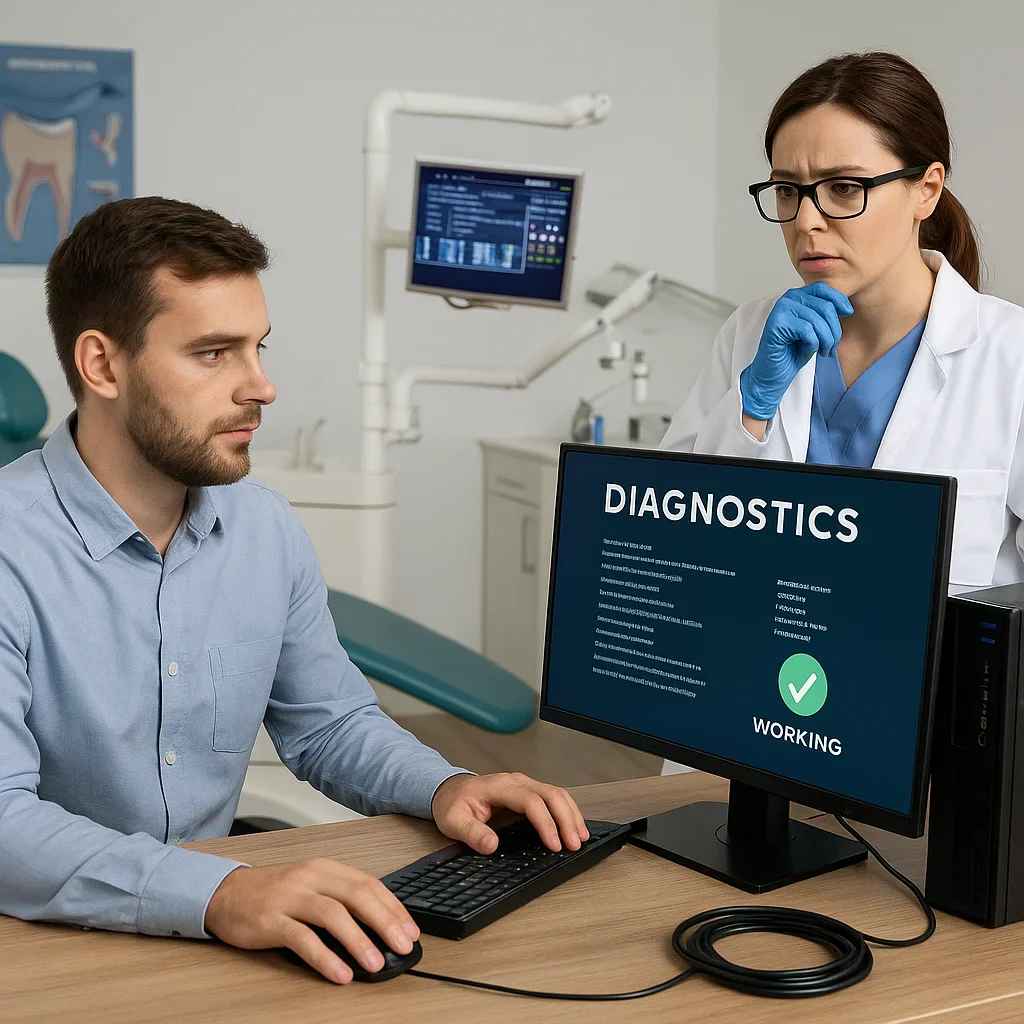
Choosing the Right Dental Office IT Support Partner 🏢
Selecting a reliable dental office IT support partner is one of the most important strategic decisions a dental practice can make. Your IT provider will determine how efficiently your systems operate, how securely your data is stored, and how smoothly your staff can perform daily tasks. From technical expertise to industry experience, every aspect of the partnership directly influences your clinic’s performance, patient satisfaction, and long-term success.
1. Why Choosing the Right IT Partner Matters
Technology is now at the heart of every dental operation—digital imaging, patient record systems, appointment scheduling, billing, and more. However, these systems are only as strong as the team managing them. Without dependable dental office IT support, practices risk downtime, data loss, and compliance failures. An experienced partner acts as a strategic advisor, not just a troubleshooter, ensuring your entire digital infrastructure operates flawlessly around the clock.
Choosing the right IT team ensures ongoing monitoring, proactive issue resolution, and cost-effective planning for future growth. Instead of reacting to problems, you’ll benefit from a long-term partnership focused on innovation, security, and scalability.
Core Benefits of a Professional IT Partner:
- Improved system uptime and fewer technical disruptions
- Secure patient data management with HIPAA compliance
- Proactive maintenance that prevents costly failures
- Faster issue resolution through dedicated helpdesk support
- Guidance on adopting emerging dental technologies
2. Qualities to Look for in a Dental IT Provider
Not all IT companies understand the unique demands of dental practices. A provider experienced in dental office IT support will be familiar with dental software like Dentrix, Eaglesoft, and Open Dental, as well as imaging systems like Planmeca, DEXIS, and Carestream. They should also know how to integrate these platforms efficiently across multiple devices and networks.
Essential Qualities Include:
- Industry Expertise: Knowledge of dental workflows and clinical tools ensures quick, effective solutions.
- Security Focus: Understanding HIPAA, GDPR, and other healthcare data standards is crucial.
- Availability: 24/7 remote monitoring and emergency support should be standard.
- Transparency: Clear communication, detailed reports, and straightforward pricing build trust.
- Scalability: The ability to grow with your practice as your patient base expands.
These traits distinguish a general IT firm from one capable of delivering specialized, dental-focused support that truly enhances productivity and compliance.
3. Understanding Service Models and Pricing
Before signing a contract, dental clinics should understand the service models offered by IT providers. Common structures include:
- Break-Fix Services: Pay per incident—ideal for small practices with minimal IT demands.
- Managed IT Services: A flat monthly fee covering proactive monitoring, maintenance, and unlimited support calls.
- Hybrid Plans: Combine routine monitoring with on-demand troubleshooting for flexibility.
Professional dental office IT support plans typically range from $500 to $1,500 per month, depending on the number of workstations, servers, and service scope. While this may seem like an investment, it saves thousands in potential downtime, data loss, and regulatory penalties in the long run.
4. Assessing Technical Capabilities and Certifications
Technical proficiency is non-negotiable. Reputable IT providers hold certifications from leading vendors such as Microsoft, Cisco, and CompTIA. These qualifications ensure your dental office IT support partner can manage complex networks, secure data environments, and cloud infrastructure with confidence.
Certifications to Look For:
- Microsoft Certified Solutions Expert (MCSE)
- Cisco Certified Network Associate (CCNA)
- CompTIA Security+
- HIPAA Compliance Training Certifications
Such credentials demonstrate both technical expertise and commitment to maintaining healthcare-grade IT standards.
5. Importance of Proactive Monitoring and Support
Reactive IT management—waiting for something to break before fixing it—can lead to costly downtime and frustrated patients. Modern dental office IT support emphasizes proactive monitoring. This means IT systems are continuously scanned for performance issues, security vulnerabilities, and early warning signs of hardware failure. Automated alerts enable technicians to resolve issues before they impact daily operations.
With real-time monitoring and analytics, dental offices can maintain optimal performance without interruption, ensuring every appointment and treatment runs smoothly.
6. Evaluating Cybersecurity and Compliance Expertise
Given the sensitivity of patient data, cybersecurity and compliance must be central to your IT partnership. The ideal dental office IT support provider will implement robust measures such as encryption, secure VPNs, and firewalls while ensuring full HIPAA compliance. They should also conduct regular audits and vulnerability assessments to protect your network against evolving threats.
Beyond compliance, proactive security minimizes the risk of ransomware attacks, phishing incidents, and internal data mishandling. A compliant IT partner not only keeps your systems safe but also builds patient confidence in your clinic’s professionalism.
7. Communication and Responsiveness
Good communication defines a great IT partner. You should be able to contact your provider easily and expect timely responses. Professional dental office IT support includes helpdesk ticketing systems, dedicated account managers, and 24/7 remote access support. This ensures quick problem resolution, whether it’s a printer malfunction or a network outage.
Transparency in reporting—like monthly performance reviews and uptime reports—helps maintain accountability and fosters trust between your clinic and your IT partner.
8. Client Testimonials and Proven Track Record
Before committing, ask potential IT providers for references or testimonials from other dental practices they support. A provider experienced in dental office IT support will have a proven track record of successful implementations, minimal downtime, and satisfied clients. Case studies demonstrating measurable results—like improved system speed, reduced downtime, or enhanced cybersecurity—provide confidence in their capabilities.
Reputable IT partners may also collaborate with recognized organizations such as the American Dental Association to ensure their strategies align with current dental technology trends and best practices.
9. Onboarding and Long-Term Partnership
Once you’ve selected your provider, the onboarding phase should begin with a thorough technology audit. This includes network assessment, system mapping, and identifying weak points. A skilled dental office IT support partner develops a tailored roadmap that covers system optimization, backup solutions, and future upgrades.
As your practice grows, your IT partner should evolve alongside it—offering scalable solutions, cloud migration support, and hardware lifecycle management. Long-term collaboration ensures consistency, reduced costs, and smoother adoption of new technologies over time.
10. Building Trust Through Reliability and Transparency
Trust forms the foundation of any successful IT partnership. You need to know that your provider not only has the technical skills but also the integrity to act in your best interests. Transparent communication, predictable pricing, and ethical data management are non-negotiable. A reliable dental office IT support provider becomes an extension of your team—working behind the scenes to ensure every patient interaction is backed by secure, efficient technology.
To connect with trusted experts who understand the unique technological needs of dental practices, visit the Redent Klinik Contact Page. With the right dental office IT support partner by your side, you can transform your practice into a secure, efficient, and future-ready operation that delivers exceptional patient care while meeting all industry standards.