
In today’s fast-evolving digital landscape, dental office IT plays a transformative role in how modern dental practices operate, communicate, and deliver exceptional patient care. From scheduling systems and imaging software to cybersecurity and patient data management, information technology has become the backbone of every successful dental clinic. This guide explores how dental office IT optimizes workflows, enhances efficiency, and safeguards sensitive information — ultimately creating a seamless experience for both patients and dental professionals. 🦷💻
At its core, dental office IT encompasses all the technological systems and solutions that support clinical, administrative, and operational functions within a dental practice. These include computer networks, practice management software, digital imaging systems, and even secure cloud storage. Whether you’re a small independent dentist or part of a multi-location clinic, investing in the right IT infrastructure ensures smooth operations, data protection, and compliance with legal standards such as HIPAA in the U.S. or GDPR in Europe.
One of the biggest advantages of integrating dental office IT is the improvement in patient experience. Digital scheduling, automated reminders, and secure patient portals have replaced traditional phone calls and paper files. Patients can now book appointments online, view their treatment plans, and even make payments electronically. This not only saves time for administrative staff but also builds a professional, tech-savvy image that attracts new patients and increases satisfaction among existing ones.
From a clinical perspective, dental office IT systems enable real-time collaboration between dentists, hygienists, and specialists. For instance, digital X-ray and 3D imaging files can be securely shared across different workstations, allowing for faster diagnosis and treatment planning. Software platforms like Dentrix, Eaglesoft, or Curve Dental integrate patient data, billing, and imaging into one centralized system — reducing the risk of human error and improving overall productivity.
Beyond convenience, the reliability and security of dental office IT systems are vital. Dental clinics handle sensitive patient health information, making them potential targets for cyberattacks. Proper IT setups include encrypted data transmission, strong password policies, and secure backup systems. Partnering with professional IT providers ensures that your dental office maintains top-tier cybersecurity measures, such as firewalls, antivirus software, and employee training on data protection. Regular system updates and penetration testing are also essential for safeguarding data integrity.
Another crucial element of dental office IT is compliance. In the United States, HIPAA regulations mandate strict standards for protecting patient information. A reliable IT setup must therefore include encrypted communication tools, secure access controls, and detailed audit logs to track who accesses what data. Meanwhile, European clinics must align with GDPR, ensuring patient consent and proper data storage. Non-compliance can result in severe fines and reputational damage — highlighting how indispensable IT management has become in dentistry.
Financially, implementing dental office IT systems can seem costly at first, but the return on investment is undeniable. Efficient IT infrastructure reduces operational downtime, automates repetitive administrative tasks, and minimizes human error. For instance, cloud-based systems eliminate the need for bulky on-site servers and offer scalable storage options that grow with your business. Furthermore, data analytics tools can identify patient trends, optimize marketing strategies, and help decision-making — turning IT into a revenue-generating asset rather than a mere expense.
Reliable IT infrastructure also contributes to environmental sustainability. Going paperless with digital forms, e-prescriptions, and online communication not only saves money but also supports eco-friendly operations. Dental practices can reduce their carbon footprint while enhancing their brand image as modern, responsible healthcare providers.
To maintain a robust and future-ready IT system, dental professionals should schedule periodic evaluations with their IT partners. These assessments ensure that hardware and software are up-to-date, data backups are secure, and disaster recovery plans are in place. Partnering with experts from reputable organizations, such as the American Dental Association, helps clinics stay informed about new technological developments and best practices for compliance and patient safety.
For clinics seeking personalized guidance or IT support, reaching out to trusted professionals like those at Redent Klinik Contact Page is an excellent first step. Their team can help design a customized dental office IT strategy that aligns with your clinic’s unique operational goals and patient care standards.
In summary, dental office IT is not merely a technological upgrade — it’s a strategic investment in the future of dental healthcare. By integrating secure, efficient, and user-friendly systems, clinics can streamline workflows, protect patient data, and provide superior care. As digital transformation continues to reshape the healthcare landscape, dental professionals who embrace IT innovations will remain ahead of the curve, delivering smarter, safer, and more connected care experiences for all. 🌐🦷
Understanding the Role of IT in Modern Dental Offices
In the digital era, dental office IT has evolved from a supporting tool into a foundational pillar of successful dental practice management. The integration of advanced information technology into dentistry allows clinics to operate efficiently, improve patient outcomes, and ensure data security. Understanding the role of IT in modern dental offices means exploring how technology enhances every aspect of patient care — from appointment booking to clinical imaging and record management. 🖥️🦷
1. The Evolution of Dental Office IT Systems
In the past, most dental offices relied on paper-based systems for recordkeeping, manual appointment books, and traditional X-ray film. Today, however, dental office IT has revolutionized the way dental professionals manage information. Digital records, electronic health systems (EHRs), and advanced dental management software now form the backbone of daily operations. Clinics can instantly access patient histories, radiographs, and billing details in a few clicks, making processes faster and more accurate.
The shift toward digital platforms has also enabled integration between multiple systems. For example, practice management software can now sync with imaging software and financial databases, ensuring seamless data flow. This reduces administrative workload and eliminates redundancies, enabling dental professionals to focus more on patient care rather than paperwork.
2. How IT Streamlines Dental Practice Operations
One of the most valuable contributions of dental office IT is its ability to streamline day-to-day operations. Scheduling, billing, insurance claims, and inventory management can all be automated or simplified through specialized software. Appointment scheduling systems with automated reminders reduce no-shows, while cloud-based record storage ensures instant access to patient data from any authorized device.
Moreover, diagnostic tools like intraoral scanners and 3D imaging software integrate directly with treatment planning systems, minimizing communication gaps between dental teams. By digitizing administrative and clinical workflows, dental office IT creates a more synchronized and efficient workplace that enhances productivity and patient satisfaction simultaneously.
3. Enhancing Patient Experience Through Technology
Patients are increasingly expecting digital convenience in healthcare, and dentistry is no exception. Through secure patient portals, they can view appointment schedules, download treatment plans, and even communicate with their dentist online. This level of accessibility builds trust and transparency — key factors in patient retention.
With advanced dental office IT systems, dental professionals can offer real-time updates, personalized follow-ups, and automated post-treatment instructions. Digital X-rays and 3D scans can be easily displayed on screen to explain treatment options visually, helping patients understand procedures better and make informed decisions. The combination of transparency and efficiency boosts confidence in the clinic’s technological capabilities and overall professionalism. 💡
4. The Impact of IT on Data Security and Compliance
Security and compliance are at the heart of every dental office IT strategy. Dental clinics manage sensitive patient information, making them prime targets for data breaches if proper safeguards aren’t implemented. HIPAA-compliant systems, multi-factor authentication, and encrypted backups are now essential components of any reliable IT infrastructure.
Data security protocols ensure that patient data remains confidential while maintaining accessibility for authorized personnel. For example, encrypted communication channels prevent unauthorized access to emails or file transfers, while regular software updates close potential vulnerabilities. Many clinics also employ cybersecurity specialists or partner with managed IT service providers to continuously monitor their networks for potential threats.
Best Practices for IT Security in Dental Offices
- Use strong passwords and enable two-factor authentication for all staff logins.
- Regularly back up patient data using secure cloud-based storage.
- Install and update antivirus and firewall systems frequently.
- Train staff to recognize phishing and ransomware attacks.
- Ensure compliance with American Dental Association cybersecurity recommendations.
5. Role of IT in Financial and Administrative Management
Efficient financial management is another critical benefit of implementing robust dental office IT systems. Automated billing software integrates with insurance databases, ensuring accurate claims submission and faster reimbursements. Real-time reporting tools allow administrators to track revenue, monitor expenses, and forecast growth opportunities.
Digital analytics tools help identify underperforming services, patient demographics, and treatment trends. With this information, dental offices can optimize marketing strategies and allocate resources more effectively. Cloud-based IT solutions also reduce the need for physical paperwork, decreasing administrative costs while improving accuracy.
6. Collaboration and Remote Access
Modern dentistry increasingly involves multidisciplinary collaboration. Orthodontists, periodontists, and oral surgeons often share digital files to coordinate care for patients. Thanks to dental office IT, this collaboration is now faster and more efficient. Secure file-sharing systems and cloud platforms allow specialists to review digital scans or treatment plans remotely, improving communication and reducing patient wait times.
During the pandemic, many clinics adopted remote consultation models — another innovation powered by IT. Tele-dentistry platforms enable preliminary evaluations or follow-ups without requiring patients to visit the clinic physically. This flexible care model continues to be valuable, especially for follow-up appointments or consultations for patients in remote areas.
7. The Integration of Artificial Intelligence in Dental IT
Artificial Intelligence (AI) is now redefining dental office IT. AI-powered imaging software can automatically detect caries, bone loss, or abnormalities in X-rays, saving valuable diagnostic time. AI chatbots integrated into clinic websites handle routine inquiries, appointment scheduling, and patient FAQs. Predictive analytics can identify potential equipment failures or highlight patient behavior patterns, allowing clinics to act proactively rather than reactively.
This digital transformation supports precision dentistry, where data-driven insights inform every decision — from diagnosis to patient education. The synergy between human expertise and intelligent automation leads to better outcomes and optimized workflow efficiency.
8. Challenges in Implementing Dental IT Systems
Despite its benefits, implementing dental office IT comes with challenges. High initial costs, staff training requirements, and resistance to technological change can slow adoption. Additionally, smaller clinics may find it difficult to maintain compliance or cybersecurity independently. Partnering with an experienced IT provider can ease this transition and ensure a smooth digital transformation.
9. Building a Future-Ready Dental Practice
Ultimately, understanding the role of IT in dental offices is about preparing for the future. The next generation of clinics will be data-driven, fully integrated, and powered by AI. To stay competitive, dental professionals must invest in scalable, secure, and efficient IT infrastructures that evolve alongside emerging technologies.
Whether it’s upgrading your current system, improving cybersecurity, or adopting smart analytics tools, your IT strategy should align with both patient expectations and regulatory requirements. For professional consultation or customized solutions, reach out through the Redent Klinik Contact Page — where experts can help tailor the perfect dental office IT framework for your clinic’s success. 🚀
In conclusion, dental office IT is not just about computers and software; it’s about creating a digitally empowered environment where technology enhances care, efficiency, and growth. With the right IT strategy, dental practices can ensure secure, patient-centered, and future-ready operations — the foundation of excellence in modern dentistry. 🦷🌐
Essential Dental IT Infrastructure Every Clinic Needs
Building a strong foundation for any modern clinic begins with a reliable and well-designed dental office IT infrastructure. A dental practice’s IT environment includes hardware, software, networking, and cybersecurity systems that work together to support clinical, administrative, and operational tasks. Without a robust IT backbone, even the most skilled dentists can face challenges like system downtime, data loss, or inefficient workflows. This section explains in detail what components are essential for a successful dental IT setup, how they interact, and why they are indispensable for patient care and practice efficiency. 🏥💻
1. Core Components of Dental Office IT Infrastructure
The foundation of any dental office IT system lies in three primary layers — hardware, software, and networking. Each plays a critical role in keeping the clinic connected, organized, and secure.
Hardware Essentials
Dental offices need dependable hardware to run daily operations. This includes workstations for front desk staff, operatory computers for clinical use, servers for internal data storage, and imaging equipment such as digital X-ray sensors and intraoral scanners. High-resolution monitors are crucial for diagnostic accuracy, allowing dentists to view and analyze radiographs in detail. Investing in solid-state drives (SSDs) rather than hard disk drives (HDDs) ensures faster boot times and smoother multitasking, which significantly boosts productivity.
Software Requirements
Reliable software forms the digital core of dental office IT. Practice management software like Dentrix, Open Dental, or Eaglesoft handles scheduling, billing, and patient communication. Imaging software integrates with digital sensors to capture, store, and enhance radiographic images. Additionally, cloud-based systems facilitate seamless access to data from multiple locations, ideal for clinics with multiple branches. Backup and antivirus software are equally critical, preventing data loss and protecting against malware or ransomware attacks.
Networking and Connectivity
A fast and secure network infrastructure is the circulatory system of dental office IT. Gigabit Ethernet connections and business-grade Wi-Fi ensure uninterrupted communication between devices and servers. Firewalls and VPNs (Virtual Private Networks) protect internal systems from unauthorized access. A well-structured local area network (LAN) supports data sharing across workstations while maintaining secure segregation between administrative and clinical systems.
2. The Importance of Data Backup and Cloud Integration
Data loss can cripple a dental practice. Patient records, digital imaging files, and treatment plans are the lifeblood of operations. That’s why comprehensive data backup strategies are fundamental in any dental office IT system. The best approach involves a hybrid solution: local backups for immediate recovery and cloud backups for disaster protection. Automated backups minimize the risk of human error, while cloud platforms ensure data is encrypted, redundant, and accessible in emergencies like hardware failure or natural disasters.
Cloud integration also enables seamless collaboration among dental professionals. Dentists can securely share files with labs or specialists, while patients benefit from real-time access to treatment histories. Moreover, cloud-based systems reduce on-premise hardware costs and allow scaling as the clinic grows — offering flexibility and cost-effectiveness. ☁️🦷
3. Cybersecurity: Protecting Patient Data
With digitization comes vulnerability. Dental clinics handle sensitive personal health information, making cybersecurity a non-negotiable element of dental office IT. A multilayered security approach should include firewalls, endpoint protection, intrusion detection systems (IDS), and encryption of both stored and transmitted data. Staff training is equally important, as human error remains one of the biggest cybersecurity threats.
Best Cybersecurity Practices for Dental Clinics
- Use multi-factor authentication (MFA) for system access.
- Encrypt all patient data stored locally and in the cloud.
- Conduct regular security audits and penetration testing.
- Keep software and operating systems up to date.
- Implement automatic logoff for inactive sessions to prevent unauthorized access.
Following these practices aligns with the American Dental Association guidelines and ensures compliance with HIPAA and GDPR standards. Clinics that neglect cybersecurity expose themselves to data breaches, financial losses, and reputational damage that can be hard to recover from.
4. Server Management and Network Redundancy
A stable server infrastructure is the heartbeat of dental office IT. Dedicated on-site servers or virtual private servers (VPS) host patient data, imaging software, and administrative databases. To ensure uninterrupted operation, redundancy systems such as RAID configurations or dual power supplies should be implemented. Network redundancy — using multiple internet connections or backup routers — guarantees that even if one connection fails, the clinic remains online.
Managed IT service providers often monitor dental servers remotely, applying updates, managing storage, and ensuring uptime through proactive maintenance. This outsourcing allows clinics to focus on patient care instead of technical troubleshooting.
5. Integration with Dental Equipment and Imaging Systems
Modern dental technology depends heavily on IT integration. Intraoral scanners, digital panoramic X-rays, and 3D cone-beam CT systems all communicate with computers and practice management software. Properly configured dental office IT ensures that these devices interface seamlessly, reducing diagnostic delays and maintaining accurate patient records.
For example, a dentist can take an X-ray and instantly view it on the treatment room monitor, annotate findings, and store it in the patient’s digital chart. This efficiency improves workflow and reduces data duplication. Regular calibration and software updates are essential for ensuring compatibility between devices and systems.
6. Power Management and Physical Infrastructure
Reliable electrical systems are a frequently overlooked aspect of dental office IT. Power outages or surges can lead to data corruption and equipment damage. Installing uninterruptible power supplies (UPS) for servers and workstations ensures systems remain operational during short outages. Surge protectors and power conditioners further safeguard sensitive equipment.
Cable management, cooling systems, and organized server racks also contribute to long-term reliability. A clean and well-structured IT room not only improves airflow and performance but simplifies troubleshooting and maintenance tasks for IT technicians.
7. The Role of IT Support and Maintenance
Maintaining an effective IT system requires continuous support. Partnering with a specialized IT provider ensures 24/7 monitoring, timely updates, and preventive maintenance. With managed dental office IT services, clinics benefit from proactive issue resolution before problems affect patient care. Regular system health checks, hardware diagnostics, and data integrity audits help extend the lifespan of your investment.
For clinics seeking expert IT solutions, contacting professionals through the Redent Klinik Contact Page is a smart move. Experienced providers can assess existing setups, recommend upgrades, and design customized IT infrastructures tailored to specific dental workflows.
8. Cost and Scalability Considerations
While building a comprehensive dental office IT infrastructure may seem expensive initially, it is an investment that pays off through improved efficiency, patient satisfaction, and compliance. Cloud-based systems, virtualization, and modular hardware allow for scalability, ensuring the system grows alongside the clinic. Budgeting for routine maintenance, software licensing, and periodic upgrades is essential for long-term sustainability.
9. Creating a Future-Proof IT Framework
The future of dentistry lies in intelligent, integrated, and adaptive IT systems. From AI-assisted diagnostics to automated patient engagement platforms, tomorrow’s dental offices will rely even more on technology. Clinics that establish a strong IT foundation today will be well-prepared to integrate these innovations seamlessly. By aligning with global standards and partnering with trusted experts, you ensure your dental office IT remains efficient, secure, and future-ready. 🌐🦷
In summary, every dental clinic, regardless of size, must prioritize its IT infrastructure. Hardware, software, security, and cloud solutions all contribute to an ecosystem that supports exceptional care delivery and operational excellence. Investing in well-structured dental office IT is not just about modernization — it’s about building the technological foundation for long-term success.
Cybersecurity for Dental Offices: Protecting Patient Data
In an era where digital transformation dominates every industry, safeguarding patient information has become one of the top priorities in healthcare — and dentistry is no exception. The term dental office IT encompasses not only hardware and software systems but also the crucial cybersecurity measures that protect sensitive data from breaches, theft, or accidental loss. Dental clinics handle vast amounts of personal information — from medical histories and insurance details to financial transactions — making them an attractive target for cybercriminals. Implementing robust cybersecurity within your dental office IT infrastructure is essential for compliance, reputation, and patient trust. 🔒🦷
1. Why Cybersecurity is Critical in Dental Office IT
The importance of cybersecurity in dental office IT cannot be overstated. Unlike other businesses, dental offices manage protected health information (PHI), which falls under strict regulations such as HIPAA (in the U.S.) and GDPR (in the EU). Any breach can result in severe legal penalties, loss of credibility, and financial setbacks. Beyond compliance, patients expect their data to be safe — and a single security incident can erode years of trust.
Modern dental practices rely on interconnected digital systems: scheduling software, imaging databases, and cloud storage platforms. If one part of this system is compromised, attackers can potentially access every piece of sensitive information. Thus, cybersecurity is not optional — it’s a mandatory pillar of effective dental office IT management.
2. Common Cybersecurity Threats Facing Dental Practices
Understanding potential risks is the first step toward protecting your practice. Dental clinics encounter the same types of cyber threats as larger healthcare organizations, but often with fewer resources for defense. The most frequent threats to dental office IT systems include:
- Ransomware Attacks: Hackers encrypt your files and demand payment to restore access. These attacks can paralyze clinic operations.
- Phishing Emails: Fraudulent messages trick staff into revealing passwords or installing malware.
- Data Breaches: Unauthorized access to patient databases, leading to exposure of sensitive personal or financial information.
- Malware and Spyware: Malicious software that monitors or disrupts your IT systems without detection.
- Insider Threats: Unintentional mistakes or deliberate misconduct by employees with access to sensitive systems.
Even small dental offices are at risk. Cybercriminals often view smaller organizations as “low-hanging fruit” due to limited defenses. Therefore, every clinic — regardless of size — must adopt comprehensive cybersecurity protocols within its dental office IT environment.
3. Implementing a Strong Cybersecurity Framework
Developing an effective cybersecurity framework begins with assessing your current dental office IT systems. Identify vulnerabilities in your network, software, and data storage processes. A well-rounded defense strategy typically includes firewalls, antivirus protection, intrusion detection systems, and secure data encryption.
Key Elements of a Dental IT Security Framework
- Firewall and Antivirus: Acts as the first line of defense against external attacks and malware infiltration.
- Data Encryption: Ensures that both stored and transmitted data are unreadable to unauthorized users.
- Multi-Factor Authentication (MFA): Adds an extra layer of protection by requiring multiple verification steps for system access.
- Access Control: Limits data access to authorized personnel only, based on job roles.
- Regular System Updates: Keeps all software and devices patched against new vulnerabilities.
These measures create multiple barriers that reduce the likelihood of successful cyber intrusions. Additionally, implementing automated security alerts within your dental office IT system allows for rapid response to suspicious activity.
4. The Role of Employee Training and Awareness
Even the best cybersecurity systems can fail if staff members are not adequately trained. Human error is one of the leading causes of breaches in dental office IT environments. Continuous education is vital to ensure that employees recognize phishing emails, use strong passwords, and follow data protection protocols.
Regular workshops or short online modules can help reinforce cybersecurity awareness. Topics should include recognizing suspicious links, handling confidential data properly, and reporting potential incidents immediately. By fostering a culture of security, dental offices can significantly minimize risks associated with careless mistakes. 🧠💡
5. Secure Data Backup and Disaster Recovery
No matter how strong your defenses are, it’s essential to prepare for worst-case scenarios. A comprehensive dental office IT strategy should include data backup and disaster recovery plans. Backups should be performed automatically and stored both locally and in the cloud. This dual approach guarantees data recovery even if on-site systems fail due to ransomware or hardware damage.
Disaster recovery procedures outline how to restore systems quickly after an attack or outage. For example, having predefined roles, recovery priorities, and communication plans ensures that the clinic can return to full functionality as soon as possible.
6. HIPAA and GDPR Compliance in Dental IT Systems
Compliance is more than just a legal requirement — it’s a cornerstone of ethical patient care. In the United States, the Health Insurance Portability and Accountability Act (HIPAA) establishes strict rules for protecting PHI. Under HIPAA, dental offices must implement administrative, technical, and physical safeguards as part of their dental office IT infrastructure. This includes secure storage, encrypted communication, and detailed access logs for audit purposes.
Meanwhile, in Europe, the General Data Protection Regulation (GDPR) requires dental clinics to obtain patient consent before processing data, limit access to necessary personnel, and ensure secure data transfer across systems. Failure to comply with these regulations can result in heavy fines and legal consequences.
7. Partnering with Cybersecurity Experts
Given the complexity of maintaining compliance and protecting against cyber threats, many clinics choose to outsource cybersecurity management to specialized IT providers. These professionals monitor networks, respond to security alerts, and perform regular vulnerability assessments. Collaborating with experts ensures that your dental office IT remains up-to-date with evolving cyber threats.
For tailored assistance in strengthening your clinic’s data security, visit the Redent Klinik Contact Page. Expert consultants can help you design a cybersecurity strategy that fits your specific operational needs while ensuring full legal compliance.
8. The Role of Encryption and Secure Communication
Encryption is one of the most powerful tools in protecting sensitive data. All communications — from emails to X-ray file transfers — should be encrypted end-to-end. Dental professionals should avoid using public Wi-Fi for patient communications and instead rely on VPNs to secure their network connections. Secure messaging platforms, compliant with healthcare privacy standards, ensure that both internal and external communications remain confidential.
9. Continuous Monitoring and Threat Detection
Cybersecurity is not a one-time setup but an ongoing process. Continuous monitoring tools should be part of every dental office IT system. These tools track network activity, detect unusual patterns, and alert administrators before minor issues escalate into full-blown attacks. Managed detection and response (MDR) solutions use artificial intelligence to identify suspicious behavior that might go unnoticed by human operators.
Working with trusted organizations such as the American Dental Association ensures that your clinic adheres to current best practices in digital security and data privacy. By combining strong infrastructure, informed staff, and expert oversight, dental offices can create a secure and reliable IT ecosystem for their patients.
In conclusion, cybersecurity is not merely a technical concern — it’s a commitment to protecting patient trust and professional integrity. Every dental office IT system should be designed with security at its core, integrating technology, policy, and human awareness. With proactive measures, regular training, and continuous monitoring, dental practices can confidently navigate the digital landscape, ensuring patient data remains private, secure, and protected. 🛡️
Cloud Solutions and Data Backup in Dental IT Systems
Cloud computing has revolutionized how dental clinics store, manage, and access patient data. For any modern practice, integrating cloud-based solutions into dental office IT systems is not just an upgrade — it’s a necessity. From data backup and storage to collaboration and cybersecurity, cloud technology brings scalability, accessibility, and reliability to every dental operation. Understanding how cloud systems function and why they are essential can help dental professionals future-proof their practices while maintaining compliance with strict data protection laws. ☁️🦷
1. The Shift Toward Cloud-Based Dental Office IT
In the past, dental practices relied heavily on on-site servers for data storage and management. These systems were costly to maintain and prone to physical risks such as hardware failure, theft, or natural disasters. The rise of cloud technology has transformed this model, allowing clinics to store critical information remotely through encrypted servers maintained by specialized providers. Today, dental office IT systems leverage the cloud to improve efficiency, scalability, and data security — all while reducing maintenance costs.
Cloud platforms are particularly beneficial for multi-location dental groups. They enable seamless data synchronization across branches, ensuring that patient records and imaging files remain consistent regardless of where they are accessed. For smaller clinics, the cloud offers enterprise-level IT power without the high cost of building and managing in-house infrastructure.
2. Benefits of Cloud Integration for Dental Offices
Incorporating cloud solutions into dental office IT provides a wide range of advantages that enhance both operational performance and patient satisfaction. Some of the most significant benefits include:
- Accessibility: Authorized staff can securely access patient data anytime, anywhere — ideal for remote consultations or emergencies.
- Scalability: Cloud storage expands as your data grows, eliminating the need for constant hardware upgrades.
- Automatic Updates: Software hosted in the cloud receives continuous updates and security patches, keeping systems up-to-date.
- Cost Efficiency: Cloud solutions operate on a subscription model, removing large upfront expenses for physical servers and maintenance.
- Disaster Recovery: In case of data loss, cloud backups allow quick restoration of all files with minimal downtime.
These advantages make cloud computing one of the most strategic investments a dental practice can make in its IT infrastructure. With cloud-based dental office IT, clinics can achieve more agility and reliability while focusing on delivering quality care rather than managing hardware.
3. Understanding Cloud Backup Systems
Backing up patient data is a critical function of any dental office IT system. Cloud backup services automatically replicate your data to secure remote servers, ensuring continuity even in the event of system failure or cyberattack. Most modern backup solutions provide two main types of backups:
Full Backup
This creates a complete copy of all your data, ensuring that every record is preserved. While it requires more storage, it’s the most comprehensive and reliable form of backup.
Incremental Backup
Incremental backups save only the data that has changed since the last backup. This method saves storage space and bandwidth, making it ideal for daily or hourly automated backups within a busy dental practice.
For optimal protection, combining both methods is recommended. This hybrid approach ensures fast recovery and minimal data loss in emergencies.
4. Ensuring Security in Cloud-Based Dental IT Systems
Data security remains a top concern for dental professionals transitioning to cloud systems. Reputable cloud providers employ advanced encryption, firewall protection, and multi-factor authentication to secure sensitive information. Still, clinic owners must verify that their chosen cloud service complies with healthcare regulations such as HIPAA or GDPR.
When choosing a provider for your dental office IT cloud setup, look for the following features:
- End-to-end encryption for all data transfers.
- Secure data centers with 24/7 monitoring and biometric access control.
- Redundant storage (data saved in multiple locations for backup safety).
- Regular third-party security audits and certifications.
- Comprehensive data recovery and version history capabilities.
Additionally, staff training is vital. Employees should understand how to securely log in, manage passwords, and recognize phishing attempts. A single careless action can compromise even the most secure cloud system. Therefore, cybersecurity education must remain a constant part of every dental office IT strategy.
5. Cloud-Based Practice Management Software
One of the most powerful applications of cloud computing in dentistry is the adoption of cloud-based practice management systems. Platforms such as Curve Dental, Denticon, and CareStack provide full practice solutions — including scheduling, billing, charting, and analytics — accessible from any web browser.
These systems simplify workflow by connecting all operational processes under a single digital roof. Staff can track patient records, submit insurance claims, and analyze performance metrics in real time. For clinics aiming to modernize their operations, cloud software represents the future of efficient dental office IT management.
6. Disaster Recovery and Business Continuity
Even the most advanced systems can experience unexpected disruptions, from server crashes to cyberattacks. A well-structured dental office IT plan should always include a robust disaster recovery strategy. Cloud-based systems provide built-in redundancy, allowing dental practices to restore functionality quickly after a system failure.
For example, if ransomware locks on-site files, cloud backups can restore clean data versions almost instantly. Many providers offer “snapshot” backups — versions of data taken periodically — that allow clinics to roll back to a specific point in time before the disruption occurred.
7. Compliance with HIPAA and GDPR in Cloud Storage
Healthcare data is one of the most regulated forms of information worldwide. For dental office IT systems, compliance with HIPAA and GDPR is mandatory. Cloud vendors serving dental clients must provide signed Business Associate Agreements (BAAs) in the U.S., confirming their role in maintaining data confidentiality. Similarly, European clinics must ensure their cloud providers comply with GDPR’s data protection requirements, including secure consent management and the right to data portability.
Choosing compliant providers not only avoids legal issues but also builds patient trust, showing your clinic takes data privacy seriously. Reputable organizations such as the American Dental Association recommend periodic compliance reviews to ensure that both your clinic and your IT vendors adhere to the latest security protocols.
8. The Role of Hybrid Cloud Models
Not all dental practices prefer to go fully cloud-based. A hybrid model — combining on-premise servers with cloud storage — offers the best of both worlds. This approach enables fast local data access while providing secure cloud backup redundancy. For clinics with large imaging datasets or specialized software, a hybrid configuration ensures speed, flexibility, and disaster resilience.
By partnering with experts who specialize in healthcare technology, like those available through the Redent Klinik Contact Page, clinics can implement hybrid dental office IT systems that match their specific operational requirements.
9. Future Trends in Cloud Dentistry
The future of dental technology lies in AI-powered cloud systems that automate tasks and enhance decision-making. Predictive analytics, AI-based image recognition, and voice-assisted charting are rapidly becoming integral components of dental office IT. Cloud technology makes these innovations scalable and accessible to clinics of all sizes.
Furthermore, real-time data sharing will strengthen collaboration among dental specialists, laboratories, and insurance providers. Patients will enjoy greater transparency and control over their treatment data through secure digital access portals — setting a new benchmark for patient-centered dental care. 🌐
In conclusion, cloud computing has become the backbone of modern dental office IT. From secure backups and compliance to streamlined management and cost savings, the cloud empowers dental professionals to focus on what truly matters — patient care. As technology continues to evolve, embracing the cloud is not just a step forward; it’s a strategic leap toward efficiency, security, and growth in the digital era of dentistry.
Top Dental Office Software to Streamline Daily Operations
Running a dental practice efficiently requires more than just clinical expertise — it requires the right software systems working seamlessly behind the scenes. The integration of modern applications into dental office IT transforms everyday tasks like scheduling, billing, imaging, and communication into automated, accurate, and time-saving processes. By leveraging these digital tools, clinics can reduce administrative burdens, minimize human error, and provide a smoother experience for both patients and staff. This section explores the essential categories of dental software that form the backbone of every successful modern dental office. 🖥️🦷
1. Practice Management Software: The Central Hub of Dental Office IT
At the heart of every dental office IT ecosystem is practice management software (PMS). This software acts as the control center for the clinic, coordinating patient information, appointments, billing, insurance claims, and more. The most widely used systems include Dentrix, Eaglesoft, Open Dental, and CareStack — all designed to simplify operations and enhance productivity.
Key Functions of Practice Management Software
- Appointment Scheduling: Automates booking and reminders, reducing no-shows and improving time management.
- Patient Records: Stores digital patient charts, treatment history, and contact information in a single, secure database.
- Billing and Insurance: Streamlines claim submissions and payment tracking with built-in verification systems.
- Reporting and Analytics: Provides performance insights such as treatment trends, revenue tracking, and staff efficiency.
Modern PMS platforms also integrate with other dental office IT systems like imaging and communication tools, ensuring all departments operate cohesively. The result is a streamlined workflow where administrative and clinical tasks function in perfect harmony.
2. Dental Imaging and Diagnostic Software
Accurate diagnosis and effective treatment planning depend heavily on high-quality imaging tools. Dental imaging software forms one of the most vital components of dental office IT, helping dentists visualize and analyze oral structures in real time. Digital imaging systems replace traditional X-rays, offering superior image clarity and faster results with reduced radiation exposure.
Applications such as DEXIS, Planmeca Romexis, and Carestream Dental Imaging are widely used for 2D and 3D imaging. These programs enable dentists to manipulate images, zoom in on areas of concern, and even overlay digital models for precise treatment planning. Integration with PMS ensures that imaging data automatically syncs with the patient’s chart, maintaining organized and easily retrievable records.
Advantages of Digital Imaging Integration
- Improved diagnostic accuracy through high-resolution visualization.
- Instant sharing between practitioners and specialists.
- Paperless, eco-friendly workflows.
- Enhanced patient education with on-screen visuals.
With advanced dental office IT systems, clinics can even use AI-powered diagnostic tools to detect early signs of decay, bone loss, or misalignment — helping dentists make more informed and proactive decisions.
3. Communication and Patient Engagement Platforms
Effective communication is at the heart of exceptional patient care. Modern dental office IT solutions include built-in communication software that automates reminders, follow-ups, and online feedback requests. Systems like Solutionreach, Lighthouse 360, and RevenueWell help clinics maintain consistent contact with patients through SMS, email, and mobile app notifications.
Benefits of Patient Engagement Tools
- Automated appointment confirmations and reminders reduce missed visits.
- Two-way texting allows quick communication between staff and patients.
- Feedback forms help measure patient satisfaction and service quality.
- Marketing automation drives reactivation of inactive patients.
Integrating these tools into dental office IT not only saves staff time but also strengthens patient relationships and encourages loyalty — key factors in building a thriving dental practice. 💬
4. Accounting and Financial Management Software
Accurate financial management is essential for long-term sustainability. Incorporating accounting tools into your dental office IT framework streamlines invoicing, payroll, and tax reporting. Popular options like QuickBooks and Xero integrate easily with PMS systems, syncing payments and generating detailed financial reports.
These financial management systems help owners track profit margins, manage expenses, and forecast growth trends. When paired with cloud storage, data can be securely accessed remotely, allowing owners or accountants to monitor performance without being physically present at the clinic.
5. Inventory and Supply Management Tools
Managing dental materials and consumables efficiently prevents waste and reduces operational costs. Inventory management software integrated into dental office IT systems provides real-time tracking of supplies, automated reordering, and low-stock alerts. Programs such as Sowingo and ZenSupplies simplify this process, ensuring that the clinic never runs out of essential materials during busy hours.
Core Functions of Dental Inventory Software
- Tracks item usage and expiration dates.
- Automates supplier orders based on stock levels.
- Generates monthly or weekly consumption reports.
- Helps optimize storage space and control budget spending.
By incorporating inventory management tools into dental office IT, clinics achieve better cost control and more predictable supply chain management — a critical factor in maintaining efficiency and profitability.
6. Cloud-Based Collaboration and File Sharing
Collaboration among dental teams, labs, and specialists has become easier than ever with cloud-based software. These systems allow secure file sharing, real-time updates, and remote consultations. For example, orthodontists can review intraoral scans or treatment plans shared instantly from general dentists, enhancing coordination and patient outcomes.
Cloud collaboration tools, as part of a larger dental office IT setup, eliminate the need for physical data transfer devices like USB drives — minimizing the risk of data breaches and improving workflow transparency. Authorized users can access files from anywhere, ensuring flexibility and continuity of care.
7. Cybersecurity and Compliance Software
Protecting sensitive data is an integral part of every dental office IT system. Specialized cybersecurity software provides automated monitoring, threat detection, and encryption. Tools such as Bitdefender, Sophos, and Carbon Black are commonly used to secure networks against malware and ransomware. Additionally, compliance software helps ensure adherence to regulations such as HIPAA or GDPR.
These tools automatically audit system activity, maintain access logs, and generate compliance reports for inspections. Regular updates ensure the clinic’s IT systems stay ahead of evolving cyber threats. Collaboration with trusted organizations like the American Dental Association helps ensure cybersecurity protocols remain aligned with industry best practices.
8. Artificial Intelligence (AI) and Automation Software
AI is the newest frontier in dental office IT. From automated appointment scheduling to AI-driven image analysis, these technologies are redefining efficiency. AI chatbots on clinic websites can answer patient queries instantly, while machine learning tools analyze historical data to predict appointment patterns or identify potential equipment malfunctions.
AI-driven analytics also empower dental owners with actionable insights, helping them make data-backed decisions. Automation reduces repetitive administrative tasks, freeing staff to focus on patient interactions and clinical excellence. 🤖
9. Choosing the Right Software for Your Clinic
With so many tools available, selecting the right dental office IT software depends on your clinic’s size, patient volume, and service range. Start by listing your operational challenges — such as inefficient scheduling or delayed billing — and look for platforms that directly address those needs. Cloud compatibility, ease of integration, and technical support are essential considerations.
Partnering with experts like those available at the Redent Klinik Contact Page can help identify software solutions tailored to your workflow and budget. A comprehensive software stack ensures your dental practice operates smoothly, securely, and efficiently — with technology driving every step toward growth and patient satisfaction.
In conclusion, the best dental office IT setups combine automation, integration, and data intelligence. By implementing the right software solutions — from practice management to AI — dental clinics can revolutionize their daily operations, boost efficiency, and elevate patient experiences to the next level. 🚀
How Dental IT Support Reduces Downtime and Boosts Efficiency
Reliable IT support is the cornerstone of every modern dental practice. In a fast-paced environment where time equals patient satisfaction and revenue, even a short system outage can disrupt operations, delay treatments, and harm the clinic’s reputation. That’s why having structured and proactive dental office IT support is essential. It not only prevents technical issues before they happen but also optimizes systems to ensure smooth day-to-day functioning. With the right IT management in place, clinics can focus entirely on delivering exceptional patient care instead of dealing with frustrating software errors or hardware breakdowns. ⚙️🦷
1. The Role of IT Support in Modern Dental Practices
The role of IT support in a dental office IT environment extends far beyond fixing computers. It involves maintaining secure networks, updating practice management software, monitoring cloud backups, and ensuring compliance with legal standards such as HIPAA and GDPR. Proactive IT support ensures that every component — from digital X-ray machines to patient portals — functions at peak performance. This comprehensive oversight prevents costly downtime and helps clinics maintain consistency in service delivery.
Effective IT support teams understand the unique demands of dental clinics. They specialize in integrating systems like imaging software, electronic health records (EHR), and communication tools into one cohesive infrastructure. This integration minimizes compatibility issues and enhances efficiency throughout all departments, from reception to operatory rooms.
2. Preventing Downtime Through Proactive Monitoring
Unexpected downtime can lead to missed appointments, data loss, and frustrated patients. One of the main functions of dental office IT support is proactive monitoring — continuously scanning systems for irregularities before they escalate into major issues. Using tools like remote diagnostics and performance analytics, IT professionals can identify potential threats such as failing hard drives, memory overloads, or network bottlenecks early on.
Common Causes of Dental Office Downtime
- Software crashes due to outdated versions or corrupted files.
- Network interruptions caused by unstable internet or hardware failure.
- Ransomware and cyberattacks targeting patient databases.
- Overloaded servers and storage systems without proper optimization.
- Lack of timely system maintenance and patch updates.
By implementing real-time monitoring as part of a dental office IT strategy, technicians can address these problems before they disrupt clinical operations. Automated alerts, remote access tools, and scheduled updates ensure maximum uptime and uninterrupted patient service.
3. Speed and Efficiency in Issue Resolution
In the dental industry, time-sensitive tasks like radiographic imaging, charting, and digital recordkeeping rely heavily on IT systems. When something breaks, quick recovery is critical. Managed IT support provides helpdesk services and remote troubleshooting to resolve problems in minutes instead of hours. This rapid response capability significantly reduces productivity loss.
Many dental office IT providers offer 24/7 technical assistance, ensuring support is available even outside business hours. Whether it’s a printing error or a data access issue, remote technicians can securely log into systems to diagnose and fix problems without needing to visit the clinic physically. This convenience saves both time and cost while minimizing workflow disruption.
4. Optimizing Performance Through Preventive Maintenance
Preventive maintenance is a proactive approach that keeps IT systems running smoothly. Regular updates, hardware inspections, and performance optimizations prevent unexpected breakdowns. For instance, dental imaging equipment requires regular software calibration to maintain accuracy, while network servers need firmware updates to stay compatible with newer applications. A robust dental office IT plan schedules these maintenance tasks automatically, ensuring zero interference with patient schedules.
Moreover, optimizing system performance improves speed and reliability across the clinic. Faster loading times, reduced lag in imaging software, and smooth integration between management tools allow staff to handle more patients efficiently — a direct productivity boost that enhances revenue potential. ⚡
5. Data Backup and Disaster Recovery Support
Data protection is another vital aspect of IT support. Dental clinics handle thousands of patient records that must remain accessible, secure, and compliant with privacy laws. Professional dental office IT teams implement automated cloud backups and redundant storage systems to safeguard against data loss. Should a server crash or ransomware attack occur, recovery protocols enable swift restoration of files.
Best Practices in Data Backup and Recovery
- Implement daily automated backups for all critical data.
- Store backups both locally and in encrypted cloud environments.
- Regularly test recovery systems to ensure operational readiness.
- Train staff on proper data handling and cybersecurity practices.
These measures ensure that even during emergencies, patient information remains protected and accessible. Combined with cybersecurity oversight, backup solutions form a solid safety net within dental office IT systems.
6. Cost Savings from Managed IT Services
Some clinics hesitate to invest in dedicated IT support due to perceived cost concerns, but the opposite is often true. Managed dental office IT services typically cost less than the financial losses caused by system downtime or data breaches. Outsourcing IT management to professionals reduces the need for in-house technical staff while ensuring expert care and 24/7 monitoring.
Additionally, managed service providers (MSPs) offer predictable monthly pricing, allowing clinics to budget effectively. By preventing downtime, reducing errors, and extending equipment life cycles, these services generate measurable returns on investment over time.
7. Enhancing Staff Productivity and Patient Satisfaction
Reliable IT support directly translates to smoother workflows. When systems run efficiently, staff spend less time troubleshooting and more time focusing on patient care. A streamlined dental office IT environment reduces stress, improves morale, and enhances the overall work atmosphere. Patients notice the difference — faster check-ins, shorter wait times, and more accurate records all contribute to better experiences.
Furthermore, efficient systems support better communication among dental professionals, hygienists, and administrative teams. Through integrated messaging and scheduling platforms, collaboration becomes effortless and real-time, increasing coordination across departments.
8. Compliance and Security Oversight
IT support also plays an essential role in ensuring compliance with data protection laws. By partnering with professionals who understand healthcare regulations, dental clinics maintain secure patient records and avoid legal risks. Managed IT services regularly update encryption protocols, conduct security audits, and ensure compliance with standards recommended by the American Dental Association and HIPAA frameworks.
This oversight ensures patient data remains protected from both external threats and internal mismanagement. Proactive compliance monitoring within dental office IT systems reinforces patient trust and minimizes regulatory exposure.
9. Partnering with Experts for Reliable IT Solutions
Ultimately, the success of your IT environment depends on expert management. Collaborating with professionals who specialize in healthcare technology ensures your systems remain stable, secure, and fully optimized. For clinics seeking dependable IT support tailored to dental operations, visiting the Redent Klinik Contact Page is an excellent starting point. Specialists can evaluate your current setup and recommend strategies to minimize downtime and enhance efficiency.
In conclusion, dependable IT support is the lifeline of any technologically advanced dental practice. Through preventive monitoring, rapid problem-solving, and continuous optimization, dental office IT teams help clinics maintain maximum uptime and deliver outstanding patient care. When technology works seamlessly in the background, dentists can focus on what matters most — creating healthier, happier smiles. 😄💼
HIPAA Compliance and Legal Aspects of Dental IT
In the modern digital era, patient data protection has become a top priority for dental practices. Every clinic that utilizes technology to store or manage health information must ensure compliance with regulations such as HIPAA in the United States or GDPR in Europe. A well-structured dental office IT system forms the foundation of legal compliance, ensuring patient confidentiality, data integrity, and secure information exchange. Ignoring these legal requirements can lead to significant penalties, reputational damage, and the loss of patient trust — all of which can be avoided with proper IT governance and legal awareness. ⚖️🦷
1. Understanding HIPAA and Its Importance for Dental Practices
The Health Insurance Portability and Accountability Act (HIPAA) was established to safeguard sensitive patient health information. It applies to all healthcare providers, including dental offices, that handle, store, or transmit patient data electronically. Under HIPAA, dental clinics are required to implement both technical and administrative safeguards to protect Electronic Protected Health Information (ePHI). This makes a secure dental office IT framework not just beneficial but legally mandatory.
HIPAA compliance ensures that patient data remains private and accessible only to authorized individuals. It covers everything from how data is stored and shared to how employees access digital systems. Compliance isn’t just about avoiding fines — it’s about establishing patient confidence and demonstrating professionalism.
2. The Core Components of HIPAA Compliance
HIPAA defines three key safeguards that every dental practice must implement through its dental office IT infrastructure:
Technical Safeguards
- Access Control: Restricting data access to authorized users through unique IDs and secure authentication systems.
- Encryption: Ensuring all data transmitted electronically is encrypted to prevent unauthorized interception.
- Audit Controls: Recording system activity logs to monitor who accesses patient data and when.
- Integrity Controls: Protecting data from being improperly altered or destroyed.
Administrative Safeguards
- Training employees to recognize and respond to security threats.
- Conducting regular risk assessments to identify vulnerabilities.
- Establishing policies for data access, usage, and disposal.
Physical Safeguards
- Securing workstations and storage devices in restricted areas.
- Implementing access badges and surveillance for data storage facilities.
- Ensuring backup drives and servers are physically protected from theft or damage.
These safeguards work collectively to build a resilient and compliant dental office IT system that reduces risk while enhancing operational trustworthiness.
3. Common Compliance Challenges in Dental IT
Despite awareness of HIPAA, many dental clinics unintentionally fall short of compliance due to insufficient training, poor data management, or outdated software. Common issues include using unencrypted email for patient communication, failing to implement secure passwords, and neglecting regular audits. These weaknesses make practices vulnerable to data breaches and legal scrutiny.
To prevent these problems, every dental office IT plan must include consistent compliance checks. Automated audit systems can help track and record data access, while encryption protocols ensure safe digital communication with patients and insurance companies. Regular vulnerability testing and IT staff training are also vital for ongoing compliance.
4. GDPR and International Compliance Standards
For dental offices operating in or serving patients from the European Union, the General Data Protection Regulation (GDPR) applies. Like HIPAA, GDPR enforces strict requirements for data privacy and user consent. Clinics using international dental office IT systems must ensure that their data storage and cloud providers comply with both U.S. and EU standards when necessary.
Key GDPR Compliance Principles
- Transparency: Patients must be clearly informed about how their data is used and stored.
- Data Minimization: Collect only the information necessary for treatment and billing.
- Consent Management: Patients must give explicit consent for data sharing or marketing communications.
- Right to Erasure: Patients can request deletion of their personal data at any time.
Aligning your clinic’s dental office IT structure with GDPR principles not only prevents penalties but also enhances your brand’s reputation among international patients — a crucial advantage for globally recognized dental clinics like Redent Klinik.
5. The Role of Data Encryption in Legal Compliance
Encryption serves as the first line of defense in protecting ePHI. By converting readable data into coded form, it prevents unauthorized access during transmission or storage. In compliant dental office IT systems, encryption is applied to emails, cloud databases, and even local storage drives. Secure encryption protocols such as AES-256 or TLS 1.3 are industry standards for safeguarding health records.
Even if a breach occurs, encrypted data remains unreadable without the correct decryption keys, significantly reducing the risk of exposure. Regular encryption key rotation and secure password policies should be mandatory in every practice to ensure lasting protection.
6. Legal Consequences of Non-Compliance
Failure to comply with HIPAA or GDPR regulations can result in severe penalties. Under HIPAA, fines can range from $100 to $50,000 per violation, depending on negligence severity, while GDPR violations can reach up to €20 million or 4% of annual global turnover. Beyond financial penalties, non-compliance can damage a clinic’s reputation and erode patient trust — potentially leading to lost business opportunities.
For example, clinics that lack secure email systems or fail to encrypt backups may face investigations if a data leak occurs. Maintaining a compliant dental office IT system is therefore both a legal requirement and a professional responsibility.
7. Employee Training and Internal Policies
Employees play a critical role in ensuring compliance. Human error — such as sending data to the wrong recipient or using weak passwords — accounts for a large percentage of breaches. Comprehensive training programs within the dental office IT environment teach staff how to handle patient data securely, identify phishing attacks, and follow internal protocols.
Training Essentials for Dental Teams
- Recognizing social engineering and phishing scams.
- Using multi-factor authentication and secure passwords.
- Reporting suspicious activities immediately.
- Properly disposing of digital and physical patient information.
In addition to training, written policies and periodic drills reinforce compliance culture and help maintain readiness for audits or inspections by authorities like the American Dental Association.
8. Auditing and Continuous Compliance Monitoring
HIPAA and GDPR compliance are not one-time tasks — they require continuous oversight. Regular IT audits, penetration tests, and data integrity checks ensure that systems stay compliant as technology evolves. Many clinics use automated compliance management tools that generate reports and monitor security metrics in real-time. These systems flag vulnerabilities before they become legal issues, forming an integral part of ongoing dental office IT management.
9. Partnering with Certified IT and Legal Experts
Since compliance involves both technical and legal expertise, many clinics choose to work with specialized consultants. Partnering with certified HIPAA-compliant IT providers and legal advisors ensures all systems, contracts, and staff policies align with current regulations. This professional collaboration guarantees that your dental office IT remains secure, legally sound, and future-ready.
For personalized consultation or assistance implementing compliant IT systems, clinics can contact professionals through the Redent Klinik Contact Page. These experts can assess your current environment and recommend actionable improvements tailored to your operations.
In conclusion, HIPAA and GDPR compliance are not just about avoiding fines — they’re about protecting patients, building trust, and ensuring your dental practice operates ethically and securely. A strong dental office IT infrastructure, supported by encryption, staff training, and expert oversight, forms the backbone of this protection. By staying compliant, your clinic not only fulfills its legal obligations but also strengthens its reputation as a trustworthy and professional healthcare provider. 🔐
Costs of Dental Office IT Setup and Maintenance
Building and maintaining an efficient dental office IT system requires careful financial planning and smart allocation of resources. From initial hardware investments to ongoing cybersecurity and cloud subscription fees, understanding the full cost breakdown helps dental practitioners make informed decisions without overspending. In today’s competitive dental landscape, technology is not a luxury — it’s a necessity. However, it must be implemented strategically to deliver maximum return on investment while ensuring compliance, reliability, and patient satisfaction. 💰🦷
1. Initial Setup Costs of Dental Office IT Infrastructure
The initial setup phase involves establishing the foundation of your technology environment. Depending on the clinic size and the services offered, these costs can vary widely. A small private practice may require only a few workstations, while a multi-chair dental group might need advanced networking, server infrastructure, and dedicated IT support.
Key Components of Initial Setup
- Hardware: Computers, monitors, printers, and dental imaging machines typically cost between $10,000 – $25,000 depending on the number of operatories.
- Servers and Networking: Reliable local or cloud servers for data management and communication systems usually range from $5,000 – $15,000.
- Software Licenses: Practice management and imaging software, anti-virus tools, and office productivity suites cost an additional $3,000 – $8,000.
- Installation and Configuration: IT professionals charge for setup, system testing, and security configuration — typically between $1,500 – $5,000.
Overall, a typical small-to-medium dental office IT setup can range from $20,000 to $40,000 depending on the complexity of systems and integration needs. Larger clinics with multiple operatories may easily exceed $60,000+ in setup costs due to specialized equipment and networking demands.
2. Ongoing Maintenance and Support Costs
Once systems are in place, ongoing maintenance ensures smooth operation. Maintenance involves routine updates, software patches, data backups, and continuous performance monitoring. Managed service providers (MSPs) often handle this aspect for a predictable monthly fee.
Typical Monthly IT Maintenance Fees
- Basic Managed IT Support: $300 – $600 per month for smaller clinics.
- Advanced IT Packages: $800 – $1,500 per month for clinics requiring 24/7 monitoring, remote backups, and cybersecurity management.
- Cloud Storage and Data Backup: $100 – $300 monthly depending on data volume.
- Software Updates and Licensing: $500 – $1,000 annually per user for major software suites and security renewals.
When strategically managed, these costs prevent far more expensive problems such as system crashes, ransomware attacks, or data loss — events that could cost thousands in downtime and legal repercussions. A well-maintained dental office IT system therefore acts as an investment in both security and productivity.
3. Cybersecurity Expenses: Protecting Your Investment
Cybersecurity is a non-negotiable aspect of modern dentistry. Dental practices handle sensitive patient data that make them prime targets for cybercriminals. Investing in robust protection measures should always be a budget priority. Professional dental office IT security solutions include firewall systems, antivirus software, encryption tools, and employee awareness training.
Estimated Cybersecurity Costs
- Firewall and network protection setup: $1,000 – $3,000.
- Advanced encryption and VPN solutions: $500 – $2,000.
- Annual staff security training: $500 – $1,000.
- Data recovery and incident response services (optional): $1,000+.
Collaborating with IT firms that specialize in healthcare technology ensures that your systems meet industry standards such as HIPAA and recommendations by the American Dental Association. While cybersecurity adds to the operational cost, the peace of mind and legal protection it provides are invaluable.
4. Cloud Services and Data Management Costs
Many clinics now migrate to cloud-based systems to reduce on-premises hardware costs and improve accessibility. Cloud-based dental office IT models often operate on subscription-based pricing, making budgeting easier. The total expense depends on data volume, backup frequency, and included services.
Typical Cloud Pricing Structure
- Basic Cloud Storage: $50 – $150 per month for up to 1 TB of data.
- Full Cloud IT Management: $400 – $800 per month including storage, security, and synchronization.
- Hybrid Cloud Systems: Custom solutions blending local servers and cloud backups typically cost $5,000+ annually.
Cloud computing also reduces maintenance overhead by automating software updates, data synchronization, and disaster recovery. In the long term, this reduces total ownership costs for dental office IT infrastructure while improving operational flexibility and scalability.
5. Hidden Costs to Consider
When budgeting for technology, clinics often overlook hidden expenses such as downtime, power usage, and training. These costs, while indirect, significantly impact overall profitability. A realistic financial plan must account for:
- Periodic equipment upgrades every 3–5 years.
- Replacement of outdated software licenses.
- IT staff or contractor training sessions.
- Temporary productivity loss during system transitions or upgrades.
Understanding these hidden factors helps avoid unexpected financial strain. A proactive dental office IT budget should include a contingency reserve — typically 10–15% of total annual IT costs — to handle unforeseen expenses like urgent repairs or cybersecurity incidents.
6. Comparing In-House vs. Outsourced IT Management
Many dental practices face the dilemma of whether to hire in-house IT personnel or outsource management to an MSP. Both approaches have advantages and drawbacks depending on the clinic’s size and complexity.
In-House IT Staff
- Pros: Immediate support, full system familiarity, and direct control.
- Cons: High salary costs (typically $50,000 – $80,000 per year) and limited expertise breadth.
Outsourced IT Providers
- Pros: Cost-effective, access to specialists, and 24/7 monitoring.
- Cons: Response times may vary, and customization might be limited.
For most small and mid-sized clinics, outsourcing provides superior cost efficiency and expertise. However, larger dental organizations often adopt hybrid models — maintaining a small in-house IT presence supported by external specialists for complex tasks.
7. Financial ROI of a Reliable Dental Office IT System
Though initial investments can seem steep, a reliable dental office IT infrastructure delivers measurable financial returns. Automated scheduling reduces missed appointments, digital billing speeds up cash flow, and efficient patient record systems save hours in administrative time weekly. Moreover, strong cybersecurity and regular backups prevent data loss incidents that could otherwise cost tens of thousands of dollars.
Studies show that dental clinics leveraging fully integrated IT systems can improve overall operational efficiency by 20–30%, which directly translates to higher revenue and lower overheads. In essence, smart IT investment creates a sustainable and scalable business model for the future. 📈
8. Budgeting Tips for Cost Control
To ensure long-term financial health, clinics must adopt disciplined budgeting practices. Here are proven strategies for controlling dental office IT expenses without compromising quality:
- Choose scalable, subscription-based solutions rather than fixed hardware-heavy systems.
- Review software licenses annually to remove unused or redundant subscriptions.
- Leverage cloud computing to minimize physical maintenance costs.
- Negotiate bundled IT support contracts to reduce per-service fees.
- Implement preventive maintenance to avoid costly emergency repairs.
Consulting with IT experts via the Redent Klinik Contact Page can help you assess your current setup and develop a cost-efficient upgrade strategy tailored to your goals and budget.
9. The Long-Term View: Investing for Growth
Rather than treating IT expenses as operational costs, forward-thinking clinics consider them growth investments. A strong dental office IT foundation enables advanced services like teledentistry, digital imaging, and AI-based diagnostics — all of which attract tech-savvy patients and differentiate the clinic in a competitive market. Furthermore, as digital health regulations evolve, early adoption of compliant technologies prevents future disruptions and costly retrofits.
In conclusion, while setting up and maintaining a comprehensive dental office IT system requires an upfront financial commitment, the benefits far outweigh the costs. From increased productivity to legal compliance and long-term scalability, well-planned IT infrastructure ensures sustainable growth and superior patient experience. Investing wisely in technology today lays the foundation for a smarter, more profitable dental practice tomorrow. 🖥️💡
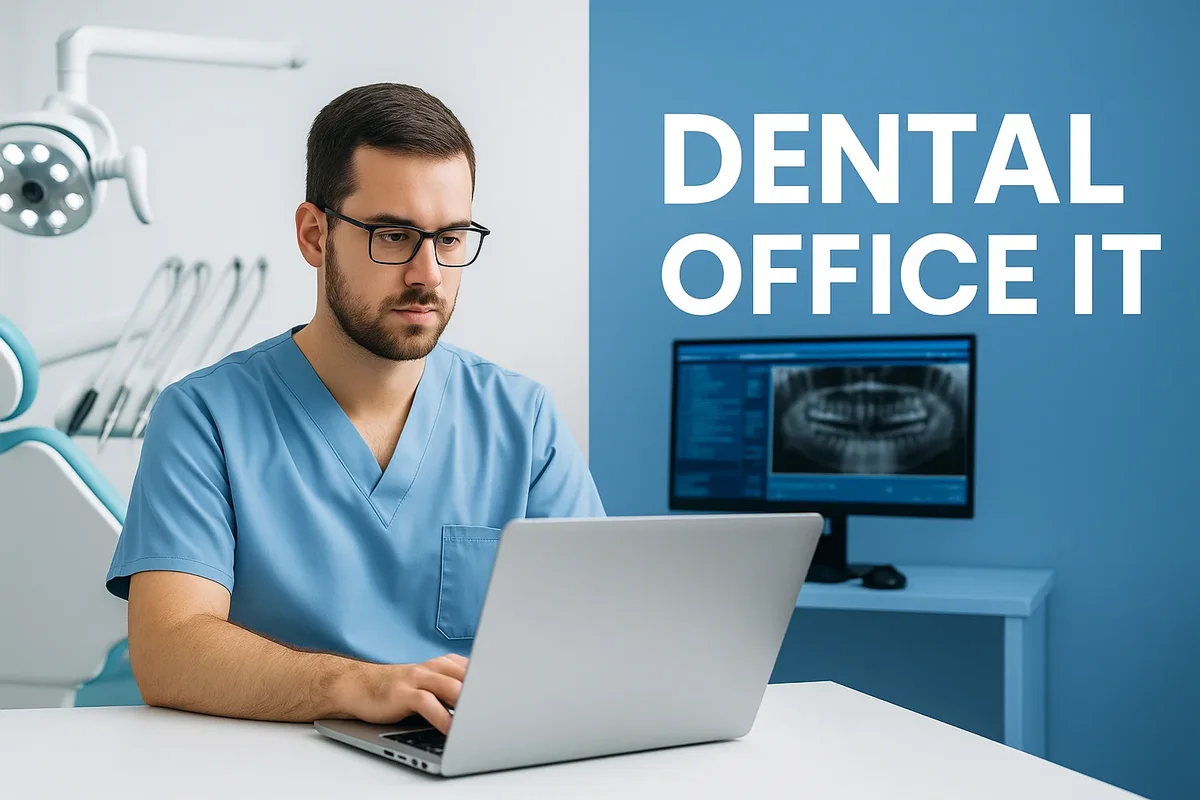
Choosing the Right Dental IT Provider for Your Clinic
Implementing a secure, reliable, and efficient dental office IT infrastructure is only as effective as the provider managing it. Choosing the right IT partner can make the difference between seamless operations and constant technical headaches. The right vendor ensures compliance, scalability, and performance — helping dental clinics focus on patient care rather than troubleshooting systems. From understanding service offerings to assessing industry experience and pricing models, selecting an IT provider requires strategic planning and detailed evaluation. 🧠💻
1. Why Selecting the Right IT Provider Matters
In dentistry, downtime means lost appointments, delayed treatments, and frustrated patients. A specialized dental office IT provider understands the specific needs of dental environments — from integrating imaging devices and practice management software to securing sensitive patient data under HIPAA and GDPR regulations. General IT companies may lack the technical nuances of dental systems such as DEXIS, Eaglesoft, or Dentrix integration, leading to inefficient setups and compliance risks.
Working with a provider who focuses exclusively on dental technology ensures your systems remain interoperable, secure, and optimized for clinical workflows. These experts anticipate common issues unique to dentistry and tailor solutions accordingly, resulting in smoother daily operations and enhanced patient trust.
2. Key Qualities to Look for in a Dental IT Provider
When evaluating potential partners, dental professionals should prioritize providers who demonstrate deep expertise in healthcare technology, transparent pricing, and responsive customer service. The following characteristics are essential for a reliable dental office IT provider:
Industry Expertise
- Experience managing dental-specific software such as Open Dental, Dentrix, or CareStack.
- Knowledge of imaging systems and integration with CBCT or intraoral scanners.
- Understanding of HIPAA and other data protection laws affecting dental practices.
Proactive Support and Monitoring
- 24/7 network and system monitoring for early detection of issues.
- Automated software updates and regular security patching.
- Proactive performance optimization for hardware and applications.
Security and Compliance
- End-to-end data encryption and secure backup protocols.
- HIPAA-compliant processes and documentation.
- Cybersecurity training for clinic staff.
The best dental office IT providers function as technology partners — not just service vendors. They collaborate with clinic owners to build a technology roadmap aligned with business goals and patient experience objectives.
3. Questions to Ask Before Signing a Contract
Before finalizing your IT partner, it’s important to ask critical questions that reveal their experience, reliability, and transparency. Some of the most important inquiries include:
- Do you specialize in dental or general healthcare IT?
- Can you provide case studies or client references from other dental clinics?
- What is your average response time for critical issues?
- How do you handle data backups and disaster recovery?
- Are your systems compliant with HIPAA and local privacy laws?
- Do you offer remote support, on-site visits, or both?
- What is included in your pricing plan, and are there hidden fees?
These questions help dental professionals evaluate the depth of a provider’s experience and ensure that the partnership aligns with the clinic’s operational and financial expectations.
4. The Importance of Service Level Agreements (SLAs)
A Service Level Agreement (SLA) defines the scope, quality, and responsiveness of IT services. A reputable dental office IT provider will always offer a clear, written SLA detailing uptime guarantees, response times, maintenance schedules, and escalation procedures. Clinics should avoid vendors unwilling to commit to specific performance metrics, as this indicates a lack of accountability.
An ideal SLA also includes clauses on data ownership, termination rights, and confidentiality to protect the clinic from legal disputes. Reviewing these terms with a legal advisor ensures that both parties understand their responsibilities and limitations clearly.
5. Comparing Pricing Models and Hidden Costs
IT service pricing models vary widely — from pay-as-you-go hourly rates to fixed monthly managed service contracts. While hourly rates may seem affordable initially, they often result in unpredictable costs during high-demand periods. Managed service agreements, on the other hand, provide consistent monthly billing and comprehensive support coverage.
Typical Pricing Models
- Break-Fix Model: Pay only when issues occur. Low upfront cost but high long-term expenses.
- Managed IT Services: Fixed monthly fee for proactive monitoring, maintenance, and support.
- Hybrid Model: Combination of managed support with additional hourly consulting fees for complex tasks.
Transparent pricing ensures there are no surprises later. Always confirm what’s included in your provider’s contract — such as cloud backup, cybersecurity, or staff training. A reliable dental office IT partner values clarity and prioritizes long-term client satisfaction over short-term profit.
6. Evaluating Technical Expertise and Certifications
When shortlisting providers, certifications and qualifications are clear indicators of competence. Look for credentials such as Microsoft Certified IT Professional (MCITP), CompTIA Security+, or certifications in dental software systems. Providers with formal partnerships or endorsements from reputable organizations like the American Dental Association often have proven track records in managing compliance and security for dental practices.
Additionally, verify whether the IT team has experience working with hardware like digital imaging sensors, routers, and firewalls used in dental environments. This ensures minimal disruption during upgrades or system migrations.
7. Importance of Local vs. Remote IT Support
While remote IT support provides convenience and speed, having access to local technicians can be invaluable for on-site troubleshooting. The best dental office IT providers often offer hybrid models — combining remote monitoring with local presence to address hardware repairs or network cabling needs quickly.
For clinics located in larger urban areas, local providers may also offer faster response times and more personalized service. In contrast, remote providers may offer lower costs but might take longer to resolve physical equipment issues. The right balance depends on your clinic’s size, complexity, and location.
8. Red Flags to Avoid When Choosing an IT Provider
Not all IT vendors are created equal. Some common warning signs that indicate an unreliable provider include:
- Reluctance to provide references or certifications.
- Vague pricing without itemized breakdowns.
- Overpromising unrealistic uptime guarantees (100% uptime is rarely achievable).
- Lack of documented disaster recovery or backup strategy.
- Minimal understanding of dental software integration.
Choosing an inexperienced or unresponsive provider can compromise data security and productivity. A thorough vetting process ensures your dental office IT infrastructure remains in capable hands.
9. Partnering with the Right Experts
Once you’ve shortlisted potential IT providers, schedule consultations to discuss your specific needs. The best partnerships are built on transparency, communication, and trust. Providers should offer tailored recommendations — not generic solutions — to match your clinic’s scale, patient load, and long-term goals. For professional assistance and expert guidance in IT setup or optimization, consider contacting the Redent Klinik Contact Page to connect with experienced specialists who understand the unique technological needs of modern dental clinics.
In conclusion, selecting the right dental office IT provider is one of the most strategic decisions a dental practice can make. The ideal partner offers more than technical support — they deliver peace of mind through proactive monitoring, transparent pricing, and deep industry expertise. By investing the time to research and choose wisely, dental clinics can establish a strong technological foundation that supports growth, compliance, and exceptional patient care for years to come. 🦷🚀