
In today’s digital world, managing your dental treatment online has become as easy as logging into your favorite app. The Invisalign login system provides patients and doctors with a convenient way to track aligner progress, access treatment plans, and communicate directly with professionals. Whether you’re a patient using Invisalign clear aligners or a dental practitioner guiding others, this portal serves as a powerful tool for ensuring a smooth, transparent treatment journey. 🦷
For patients, the Invisalign login page is where everything begins. Once you create an account, you gain access to your personalized dashboard that shows your aligner schedule, progress photos, and reminders for upcoming check-ins. You can also track when to switch to your next aligner and monitor milestones set by your orthodontist. This is especially useful for busy individuals who prefer managing their treatment from home or on the go.
From a dentist’s perspective, the Invisalign login portal provides an administrative and clinical advantage. It allows dental professionals to monitor each patient’s compliance, share updates, and make digital adjustments to the treatment plan without requiring unnecessary in-person visits. The online system bridges the communication gap between patients and doctors, resulting in a more streamlined and effective experience overall. In essence, Invisalign’s digital approach has modernized orthodontics in the same way that telehealth transformed medical consultations.
One of the biggest benefits of using the Invisalign login portal is convenience. Instead of calling your clinic or waiting for an email response, you can log in at any time to check your progress. The portal also sends notifications and reminders to keep you on track. This ensures that patients don’t forget aligner changes, which is crucial for achieving the expected treatment results. 🕐 Furthermore, the dashboard offers visual progress tracking — a motivating feature that allows patients to see how their smile evolves week by week.
For those who are new to the process, setting up an Invisalign login account is straightforward. Simply visit the official Invisalign website, click on “Login” at the top right corner, and select whether you are a patient or a doctor. Patients can log in to view their aligner schedule and progress, while doctors can access clinical tools and digital treatment planning software. The system is built for both simplicity and functionality, ensuring that users of all experience levels can navigate it easily.
Additionally, the Invisalign login interface is mobile-friendly, allowing you to access your dashboard via smartphone or tablet. This flexibility helps you maintain consistent treatment adherence, even while traveling. Through the My Invisalign app, patients can upload photos, receive notifications, and contact their providers instantly. For anyone who values convenience, this is a game-changer in modern orthodontic care.
Data security is another crucial component of the Invisalign login platform. Invisalign takes patient confidentiality seriously, ensuring all personal and clinical data are encrypted and stored safely. Users can confidently upload photos and treatment data, knowing that the platform complies with global healthcare privacy standards, including HIPAA. The system not only enhances patient comfort but also builds trust between dental clinics and their clients.
Invisalign’s system also integrates well with dental practices around the world, including clinics like Redent Klinik Contact Page, where expert dentists offer personalized Invisalign treatment plans. Patients can use their Invisalign login to coordinate with their doctor and share updates remotely, creating a seamless digital experience from consultation to final results. 🌍
It’s also worth noting that Invisalign collaborates with reputable dental organizations such as the American Dental Association, ensuring all practices and digital systems meet professional standards. This cooperation underscores the reliability and integrity of the Invisalign network. By logging into your Invisalign account, you’re not just managing your aligners — you’re engaging with a globally trusted orthodontic system that prioritizes patient care and innovation.
In summary, the Invisalign login portal revolutionizes how patients and doctors interact throughout the orthodontic journey. With its user-friendly dashboard, secure data environment, and 24/7 accessibility, it simplifies what was once a complex process. By combining digital technology with dental expertise, Invisalign offers a future-forward approach to smile transformation. If you’re ready to take control of your orthodontic treatment, your next step is simple — log in, stay consistent, and watch your perfect smile take shape, one aligner at a time. 😁
What Is Invisalign Login and Why It Matters 🦷
The Invisalign login system is the digital gateway that connects patients, orthodontists, and dental professionals to the world of modern orthodontics. It’s more than just a sign-in page — it’s a fully integrated platform that helps manage every aspect of your Invisalign treatment, from tracking your aligner schedule to visualizing your smile transformation. Whether you are a patient checking your progress or a dental professional managing multiple cases, the Invisalign login portal plays a crucial role in maintaining transparency, consistency, and engagement throughout the treatment process.
Understanding the Purpose of Invisalign Login
At its core, the Invisalign login portal functions as a personalized digital hub. For patients, it provides easy access to their treatment plan, aligner change reminders, and progress tracking tools. For dentists and orthodontists, it serves as a clinical management platform that allows them to upload 3D scans, modify aligner stages, and monitor patient compliance remotely. This dual functionality ensures both sides of the treatment process remain synchronized, efficient, and data-driven.
Gone are the days when you had to rely solely on in-person checkups. With Invisalign login, you can see your progress photos, understand your treatment timeline, and even communicate with your doctor without stepping out of your home. This creates a truly modern, patient-centered approach to orthodontic care — one that emphasizes comfort and accessibility. 🦷
The Evolution of Digital Dentistry
The introduction of the Invisalign login system is part of a larger revolution known as digital dentistry. In the past, patients depended entirely on physical models and manual evaluations. Today, cloud-based portals like Invisalign’s allow for data sharing, remote consultations, and real-time updates. The login platform gives each patient a personal, cloud-stored dental profile that can be accessed anytime, anywhere — providing complete transparency and empowerment over one’s own treatment journey.
Orthodontic practices that use the Invisalign platform are able to improve efficiency, reduce human error, and provide faster response times. For example, if an aligner breaks or doesn’t fit correctly, patients can report it instantly through the Invisalign login dashboard. Dentists then receive notifications and can adjust treatment plans using the integrated ClinCheck software. This saves both time and money while maintaining treatment accuracy.
How Invisalign Login Supports Patient Engagement
One of the strongest features of the Invisalign login system is patient engagement. Patients often feel more confident and motivated when they can visualize their smile progress. The platform’s design makes it easy to upload progress photos and compare before-and-after results. Notifications remind users when to change aligners or schedule digital check-ins, reducing the risk of treatment delays. This proactive approach keeps users consistent and committed, which is crucial for achieving optimal results with Invisalign clear aligners.
Benefits for Dental Professionals
For dental professionals, the Invisalign login portal provides an all-in-one solution for managing multiple patient cases. The dashboard allows clinicians to:
- Access digital 3D models and track treatment stages
- Receive automatic updates from patients’ uploaded progress photos
- Modify aligner plans in real time
- Enhance communication with patients through secure messaging
These tools enable dental clinics to provide faster, smarter, and more precise orthodontic care. Many clinics, such as Redent Klinik Contact Page, use Invisalign’s digital platform to streamline consultations and follow-ups. With seamless integration, dentists can offer remote assessments, cutting down on unnecessary in-person visits while maintaining a high standard of care.
Security and Privacy: A Trusted Platform
Because patient data security is vital, the Invisalign login system is protected by advanced encryption and security protocols. Every photo, message, and treatment record is stored under strict privacy guidelines. This is not just for convenience — it’s a commitment to patient confidentiality. The platform’s compliance with international privacy standards, including those established by the American Dental Association, guarantees that users’ medical data remains secure and accessible only to authorized parties.
For patients, this peace of mind allows them to focus entirely on their treatment without worrying about data misuse. For professionals, it ensures adherence to legal and ethical obligations in patient care.
The Role of Invisalign Login in Modern Orthodontics
Modern orthodontic treatment is no longer confined to physical spaces. The Invisalign login portal empowers both patients and doctors to collaborate digitally, creating a faster and more responsive treatment process. With AI-powered insights, cloud-based records, and mobile accessibility, the platform transforms the traditional orthodontic experience into a smart, adaptive, and user-friendly system.
Moreover, patients can use the My Invisalign mobile app — an extension of the Invisalign login system — to take progress selfies, receive aligner change alerts, and connect instantly with their provider. This high level of interactivity not only improves treatment results but also enhances overall satisfaction and compliance.
Why Invisalign Login Truly Matters
The importance of the Invisalign login platform extends beyond convenience; it’s about control and empowerment. Patients can take ownership of their treatment, stay informed, and make proactive decisions about their oral health. Doctors can deliver better outcomes by maintaining continuous digital oversight. Together, they form a treatment ecosystem that balances technology with personal care.
In conclusion, the Invisalign login portal is not just a tool — it’s the digital foundation of modern orthodontics. It ensures transparency, accountability, and ease of communication between every participant in the Invisalign journey. By embracing this technology, patients enjoy a more connected and motivating experience, while dental professionals achieve efficiency and precision like never before. As dentistry continues to evolve, the Invisalign login platform stands as a shining example of how technology can truly make you smile. 😁
How to Access the Invisalign Doctor Login Portal Step-by-Step
Accessing the Invisalign login portal as a doctor or orthodontic professional is an essential part of modern dental practice management. This secure digital platform connects dental professionals with their patients’ Invisalign treatment data, progress updates, and clinical tools — all in one place. Whether you’re a seasoned orthodontist or new to digital dentistry, understanding how to use the Invisalign login portal effectively ensures smooth communication and precise treatment planning.
Step 1: Visit the Official Invisalign Login Page
To begin, go to the official Invisalign website. At the top right corner, you’ll find the “Login” button. Clicking on this will direct you to the main Invisalign login page, where you can select your role — doctor or patient. Dental professionals should choose the “Doctor Site” or “Invisalign Doctor Login” option to access the specialized clinician dashboard. This section is specifically designed for practitioners and provides tools that aren’t available in the patient portal, such as ClinCheck treatment planning and 3D modeling.
Official Login URLs and Navigation
The direct URL for professionals is usually https://doctor.invisalign.com, which redirects to a secure login screen. Here, you’ll be prompted to enter your registered email and password. For security, Invisalign recommends always checking that the page URL begins with “https://” and displays a padlock icon in the address bar. This ensures you’re using the authentic Invisalign login site and not a phishing copy.
After successfully logging in, you’ll be redirected to your dashboard — the core of your Invisalign practice management system. From here, you can view patient cases, analyze progress data, and make digital modifications as needed.
Step 2: Setting Up Your Invisalign Doctor Account
If you are new to the platform, you’ll need to register before accessing the Invisalign login portal. To do this, click on “Create Account” or “Register” on the login page. Invisalign will require your professional credentials — typically your dental license number, clinic name, and practice location. Once verified, you’ll receive a confirmation email with activation instructions.
After verification, you’ll be asked to create a strong password following Invisalign’s security standards (minimum eight characters, including one uppercase letter and one number). This step ensures that your Invisalign login credentials remain protected against unauthorized access. If you forget your password, simply click “Forgot Password?” to reset it securely via email authentication.
Two-Factor Authentication (2FA)
Invisalign has implemented two-factor authentication for enhanced security. Once enabled, every time you sign in, you’ll receive a temporary verification code on your phone or email. This extra layer ensures that even if someone gets your password, they can’t access your Invisalign login account without your second authentication factor. It’s an essential feature for clinics managing sensitive patient data.
Step 3: Navigating the Doctor Dashboard
Once logged in, the doctor dashboard provides several key features that simplify orthodontic workflows. You’ll see a clean, user-friendly interface that organizes all your active and completed cases. The main modules include:
- ClinCheck Treatment Plans: Modify aligner stages, tooth movements, and 3D visualizations.
- Case Tracker: Monitor each patient’s treatment phase and aligner shipment status.
- Communication Center: Send and receive messages securely with patients.
- Reports & Analytics: Review performance metrics, compliance rates, and treatment efficiency.
The Invisalign login platform is designed for efficiency. All patient records, including X-rays and progress photos, are stored in the cloud — reducing paperwork and improving accessibility. This digital convenience is particularly valuable for clinics that operate remotely or across multiple locations.
How to Add New Patients
Adding new patients is simple through the “New Case” button. After clicking, you’ll be guided through a digital intake form where you can upload dental scans, images, and notes. Once you submit the form, the patient automatically receives an email invitation to set up their own Invisalign login account, allowing both parties to stay connected throughout treatment.
Step 4: Troubleshooting Login and Access Issues
Sometimes, users experience difficulties accessing the Invisalign login portal due to expired passwords, browser incompatibilities, or session timeouts. To resolve this, clear your browser’s cache and cookies, then attempt logging in again. Ensure that you’re using an updated browser such as Google Chrome or Microsoft Edge for optimal performance.
If you encounter “Access Denied” or “Account Locked” messages, contact Invisalign’s technical support. They can quickly verify your credentials and reset your account. Remember that consistent failed attempts can trigger temporary security blocks, so always use the correct credentials.
Step 5: Using the Invisalign Login Portal for Remote Consultations
Invisalign’s digital infrastructure makes teleorthodontics easier than ever. Through the Invisalign login portal, you can conduct virtual consultations, share ClinCheck videos, and send real-time progress updates to your patients. This reduces the need for frequent in-person visits, making it ideal for international patients or those with busy schedules.
Clinics like Redent Klinik Contact Page often use the Invisalign platform to connect with patients worldwide, providing expert-level care remotely. This digital advantage gives Invisalign providers a competitive edge in today’s increasingly virtual healthcare environment.
Integration with Dental Associations and Data Security
The Invisalign login portal operates under strict data protection frameworks. It aligns with international standards and is supported by trusted organizations like the American Dental Association. All uploaded patient data is encrypted, and cloud backups are performed regularly. Invisalign’s commitment to cybersecurity ensures that professionals and patients can collaborate confidently in a secure digital space.
Final Thoughts on Accessing the Invisalign Login Portal
Mastering the Invisalign login process empowers dental professionals to deliver faster, smarter, and more personalized treatment outcomes. From patient monitoring to 3D treatment design, every aspect of orthodontic care becomes easier through this portal. It not only enhances patient satisfaction but also increases operational efficiency across clinics. With security, accessibility, and advanced digital tools built in, the Invisalign login portal represents the future of orthodontic innovation — a seamless fusion of technology and dental expertise. 🌟
Creating Your Invisalign Patient Login Account
Creating your Invisalign login account is the first step toward managing your orthodontic treatment digitally. The Invisalign portal is designed for simplicity and accessibility, allowing patients to take full control of their smile journey. From tracking aligner progress to scheduling reminders, every feature is built with convenience in mind. This detailed guide will walk you through the entire process of setting up your account, verifying your identity, and personalizing your dashboard for a seamless user experience. 🦷
Step 1: Accessing the Official Invisalign Website
To create your Invisalign login account, visit the official Invisalign homepage. At the top right corner, you’ll notice the “Login” button — click it and choose the “Patient Login” option. This will redirect you to the registration page where you can begin setting up your profile. Always ensure that the website address starts with https://www.invisalign.com to confirm that you are using the secure, official platform. Fake websites or phishing copies can put your personal data at risk, so double-check the URL before proceeding.
Mobile and Desktop Accessibility
The Invisalign website is optimized for both desktop and mobile use, so you can create your account using your computer, smartphone, or tablet. Many users prefer the mobile version because it integrates seamlessly with the My Invisalign app, allowing you to track aligner wear time, progress photos, and upcoming dental appointments directly from your phone. This mobile-first approach makes the Invisalign login process incredibly convenient for patients who live busy, on-the-go lifestyles.
Step 2: Filling in Your Personal Information
Once you reach the registration page, you’ll be asked to enter your details — full name, date of birth, email address, and a secure password. The system will also prompt you to verify your email by sending a confirmation link. Clicking that link activates your Invisalign login account and allows you to proceed with completing your profile. For added protection, Invisalign recommends creating a strong password that combines uppercase letters, lowercase letters, numbers, and special symbols.
After your account is verified, you can add optional information such as your orthodontist’s name, clinic location, and treatment start date. This helps synchronize your data with your dental provider, ensuring both you and your doctor can monitor the same information in real-time.
Tip for Families Managing Multiple Accounts
If you are a parent managing multiple Invisalign users (for example, your child’s treatment), Invisalign allows linking profiles under one primary Invisalign login. You can switch between accounts without logging out, making it easier to manage appointments, progress, and reminders for each family member.
Step 3: Connecting with Your Dentist or Orthodontist
After creating your Invisalign login account, you can connect directly with your dental provider. Your orthodontist will typically send you an invitation or access code that links your account to their professional dashboard. Once connected, you can communicate through the secure messaging feature, upload progress photos, and receive treatment updates. This digital collaboration ensures smoother coordination between you and your dentist, helping you stay consistent throughout your treatment.
Clinics like Redent Klinik Contact Page offer personalized Invisalign care using this system. Patients at such clinics benefit from 24/7 access to their digital records, direct communication with specialists, and real-time updates — all within their Invisalign login portal. 🌐
Why This Connection Is Important
By linking your account with your orthodontist, you ensure that both parties share the same data — aligner progress, adjustments, and upcoming milestones. This level of synchronization minimizes errors and guarantees better results. It’s one of the reasons why Invisalign treatment outcomes are so precise and predictable compared to traditional braces.
Step 4: Personalizing Your Invisalign Login Dashboard
Once logged in, the Invisalign dashboard becomes your digital treatment hub. Here’s what you can expect to find:
- Progress Tracker: A visual timeline showing your current aligner stage and estimated completion date.
- Reminders: Notifications for aligner changes, cleaning sessions, and appointments.
- Smile Gallery: Before-and-after photo comparisons that help you visualize your progress.
- My Invisalign App Sync: Integration that allows you to sync your app data with the desktop portal.
The design is highly intuitive, making navigation effortless. Each tab within the Invisalign login portal provides detailed information, ensuring that patients can manage every aspect of their treatment without confusion or technical barriers.
Uploading Progress Photos
One of the most popular features in the Invisalign patient dashboard is the ability to upload photos. This lets both you and your orthodontist track your progress visually over time. Simply click “Add Photo,” choose your latest smile picture, and the system automatically stores it in your profile. These photos serve as an important motivational tool, allowing you to literally see your transformation unfold week by week. 📸
Step 5: Troubleshooting Common Account Issues
Sometimes, patients experience minor issues during or after setting up their Invisalign login account. Common problems include verification emails not arriving, forgotten passwords, or app synchronization delays. If this happens, check your spam folder for the confirmation email, or click “Resend Verification Link.”
For password recovery, use the “Forgot Password” option on the login page. You’ll receive a secure reset link that allows you to choose a new password. If you still can’t log in, try clearing your browser cache or updating your My Invisalign app to the latest version. Technical support is also available through Invisalign’s help center, where live chat and email support options are provided.
Security and Privacy Considerations
Your Invisalign login account uses end-to-end encryption to safeguard all personal and medical data. The platform complies with global healthcare standards, including HIPAA and GDPR, ensuring that your sensitive information remains confidential. Invisalign’s collaboration with trusted organizations like the American Dental Association further reinforces the platform’s credibility and commitment to patient safety.
Final Thoughts: Why Creating an Invisalign Login Is Essential
Setting up your Invisalign login account gives you full control over your orthodontic journey. You can manage appointments, monitor treatment progress, communicate with your provider, and access support resources anytime, anywhere. This digital transformation eliminates guesswork and provides a structured path toward achieving your dream smile.
Invisalign’s patient-centered approach, combined with innovative technology, ensures that every user feels empowered, informed, and supported throughout the process. Creating your account isn’t just a formality — it’s the foundation for an efficient, transparent, and motivating treatment experience that keeps you smiling every step of the way. 😁
Troubleshooting Invisalign Login Problems: Quick Fixes ⚙️
Even though the Invisalign login system is built for reliability and ease of use, users may occasionally face technical issues that prevent them from signing in or accessing their dashboard. These problems can occur due to browser errors, forgotten credentials, mobile app glitches, or temporary server downtime. The good news is that most Invisalign login issues can be resolved in minutes with simple troubleshooting steps. Below, you’ll find a comprehensive guide to diagnosing and fixing these common login problems — whether you’re a patient managing your aligners or a doctor overseeing treatment plans.
Common Invisalign Login Issues and Their Causes
Before diving into solutions, it’s important to understand what typically causes Invisalign login problems. The most frequent culprits include:
- Incorrect credentials: Mistyped email or password during login.
- Browser compatibility: Using outdated or unsupported browsers.
- Cache or cookies: Stored data interfering with the site’s login scripts.
- Account verification: Incomplete registration or unverified email addresses.
- Two-factor authentication errors: Missed verification codes or incorrect entries.
- Server maintenance: Temporary downtime from Invisalign’s IT infrastructure.
These issues are rarely serious, but understanding them helps users take proactive steps to ensure uninterrupted access to the Invisalign login portal.
Step 1: Verifying Your Credentials
The simplest yet most common reason for Invisalign login failure is incorrect login information. Always double-check your email address for typos or extra spaces. Passwords are case-sensitive, so ensure you’re using the correct capitalization. If you’ve forgotten your password, click the “Forgot Password?” link under the login form. Invisalign will send a password reset link to your registered email address — click it, follow the prompts, and choose a new, strong password that includes both letters and numbers.
Tip for Strong Passwords
To prevent future login issues, choose a password that’s both secure and easy to remember. For example: SmileJourney#2025 or AlignMeSecure1!. Updating your password every few months adds an extra layer of protection for your Invisalign login account.
Step 2: Clearing Browser Cache and Cookies
Sometimes, outdated browser data can interfere with the login process. To fix this, clear your cache and cookies. In Google Chrome, go to Settings → Privacy → Clear Browsing Data. Choose “All Time” for the time range and make sure “Cookies” and “Cached Images” are selected. Once cleared, restart your browser and try logging in again. This often resolves recurring Invisalign login issues caused by old session data.
Using Incognito Mode
If clearing cache doesn’t work, try opening the Invisalign site in Incognito (Private) mode. This disables extensions and cached data temporarily, allowing a clean session. Many users report that their Invisalign login works perfectly in Incognito — especially when ad blockers or browser plugins were the source of the problem.
Step 3: Updating or Changing Your Browser
The Invisalign login platform is optimized for modern browsers like Google Chrome, Safari, Firefox, and Microsoft Edge. If you’re using an outdated version, compatibility issues may arise. Always keep your browser up to date to ensure security and smooth performance. Avoid using Internet Explorer, as it’s no longer supported by Invisalign’s system.
If the login page still doesn’t load correctly, try switching to a different browser. For example, if Chrome shows an error, open Safari or Edge and retry. This simple switch can often bypass browser-specific glitches or outdated SSL configurations that may be preventing the Invisalign login portal from functioning properly.
Step 4: Troubleshooting Mobile App Login Issues 📱
For users accessing their account through the My Invisalign app, login issues are typically linked to outdated versions or poor internet connections. Make sure your app is updated to the latest version in the App Store or Google Play Store. If you continue to experience problems, try uninstalling and reinstalling the app. This refreshes all system files and clears corrupted data that could interfere with Invisalign login sessions.
It’s also recommended to switch between Wi-Fi and mobile data to test connectivity. Sometimes, restricted networks (like public Wi-Fi) can block secure portals. If all else fails, restart your device — this simple step often resolves hidden memory or connectivity glitches.
Enable App Permissions
Ensure that the My Invisalign app has the necessary permissions enabled on your device. This includes access to your camera (for progress photos), storage (for uploaded files), and notifications (for reminders). Without these permissions, some features of the Invisalign login system may not work correctly.
Step 5: Addressing Two-Factor Authentication (2FA) Problems
If you’ve activated two-factor authentication, you’ll need to enter a verification code every time you sign in. Occasionally, these codes may take a few minutes to arrive. If you don’t receive one, check your spam or junk folder. If the code expires, click “Resend Code.” For users who’ve changed their phone number or email, update your security settings under “Account Preferences” in the Invisalign login dashboard once you regain access.
To enhance account safety, Invisalign strongly recommends keeping 2FA enabled. This feature helps protect patient records, treatment details, and personal information from unauthorized access — an essential aspect of modern digital healthcare systems.
Step 6: Contacting Invisalign Support
If none of the above solutions work, reach out to Invisalign’s customer support team. You can contact them through the “Help” or “Support” links on the login page. Provide your registered email and a brief description of the issue. The team typically responds within 24–48 hours. You can also contact your orthodontic clinic directly for assistance. Many clinics, like Redent Klinik Contact Page, can verify your account connection and assist with login recovery.
Technical Support via the Official Site
Invisalign maintains a dedicated troubleshooting section on their website. You can find detailed FAQs, video tutorials, and case-specific solutions there. The information is kept current and verified by dental technology experts affiliated with the American Dental Association, ensuring accuracy and security for all users.
Step 7: Preventing Future Invisalign Login Problems
To minimize future issues, follow these best practices:
- Bookmark the official Invisalign login URL and use only that link.
- Update your browser and mobile app regularly.
- Use a password manager for secure storage of credentials.
- Enable two-factor authentication for extra protection.
- Avoid accessing your account on public or shared computers.
These habits ensure a smooth, secure, and uninterrupted experience every time you use your Invisalign login account.
Final Thoughts on Fixing Invisalign Login Problems
Login problems can be frustrating, but most are easy to fix once you understand the root causes. By applying these steps — verifying credentials, updating browsers, clearing cache, and maintaining security settings — you’ll regain access to your account quickly. The Invisalign login system is designed to be resilient and user-friendly, ensuring that both patients and doctors can stay connected to their orthodontic journey without unnecessary interruptions. 🌟
Remember, digital dentistry thrives on communication and accessibility. With your Invisalign login restored, you can once again track progress, communicate with your provider, and keep your smile transformation on schedule — because technology should make your dental care effortless, not stressful. 😁
How Invisalign Login Helps Track Your Treatment Progress
The Invisalign login portal is more than just a digital gateway — it’s a real-time tracking system that gives patients and dentists total visibility into every stage of orthodontic treatment. One of Invisalign’s biggest advantages lies in its ability to offer progress transparency, allowing you to see exactly how your smile is evolving. Through intuitive dashboards, photo uploads, 3D models, and appointment reminders, the Invisalign login platform ensures that you stay informed and motivated from your first aligner to your last. Let’s explore how this advanced system works and why it’s crucial to your success. 😁
Understanding Progress Tracking in the Invisalign System
When you log in to your personal account, your Invisalign login dashboard provides detailed updates about your aligner schedule, wearing time, and treatment milestones. It’s essentially your digital mirror — reflecting the improvement of your teeth week by week. Each treatment plan is mapped out digitally using Invisalign’s proprietary ClinCheck software, which models how your teeth should move over time. Once your plan is uploaded, it syncs automatically with your account so you can follow along every step of the way.
Unlike traditional braces, where progress is visible only to the orthodontist during appointments, Invisalign gives you control and visibility 24/7. Through your login, you can track each aligner phase, know when to switch to the next tray, and see how close you are to achieving your final smile goal. This helps maintain consistency, one of the most important factors for successful aligner treatment.
Visualizing Progress with 3D Simulations
One of the most exciting features inside the Invisalign login portal is the interactive 3D simulation. Using ClinCheck’s predictive modeling, you can view how your teeth are expected to move with every aligner change. The simulation allows you to rotate and zoom into your digital model, offering a clear visual of your progress. This motivates patients and helps them understand the science behind their treatment.
For orthodontists, this feature provides valuable clinical insight. They can compare expected movements to actual results and adjust aligner plans accordingly. The Invisalign login system essentially bridges digital orthodontic design with real-world outcomes — a perfect balance of technology and dental expertise.
Tracking Daily Aligner Wear Time
Consistency is key when it comes to clear aligner therapy. The Invisalign login dashboard keeps track of how long you wear your aligners each day. Most Invisalign plans recommend wearing trays for 20–22 hours per day for optimal results. Through the My Invisalign app, you can log daily wear time, and the system automatically syncs this information to your main account.
If you fall behind or forget to wear your aligners, the platform sends gentle reminders and notifications. These features promote accountability, ensuring that you stay on track and avoid extending your treatment timeline unnecessarily. 🕒
Gamified Motivation and Progress Milestones
Invisalign has introduced a “progress milestone” system that celebrates each phase of your treatment. Through your Invisalign login dashboard, you’ll see badges and messages congratulating you for hitting important milestones, like reaching halfway through your plan or completing your final aligner. This gamified approach makes the process more engaging and rewarding — especially for younger users or first-time patients.
Uploading Photos and Monitoring Results
The Invisalign login portal allows you to upload progress photos directly to your account. This is one of the most powerful tools for visual comparison over time. Patients can take photos every two weeks and store them in their profile, where both they and their orthodontist can view them side by side. By reviewing these images, patients can spot visible changes and gain motivation to stay disciplined.
For orthodontists, photo tracking provides diagnostic value. They can detect early signs of misfit aligners or irregular tooth movement and adjust the treatment accordingly. The integration of clinical insight and patient engagement makes the Invisalign system a model of modern orthodontic monitoring.
How Dentists Use Invisalign Login to Support Your Progress
Dental professionals access the same Invisalign login network but through a specialized doctor portal. They can monitor every patient’s treatment remotely, track aligner adherence, and make clinical notes in real time. If a patient uploads new progress photos, the dentist receives instant alerts and can provide recommendations — such as extending a stage or performing a refinement scan.
This kind of digital communication eliminates unnecessary clinic visits and speeds up decision-making. Clinics like Redent Klinik Contact Page use the system to maintain continuous engagement with patients, ensuring every stage of treatment stays on schedule and aligned with expectations.
Remote Monitoring and AI Integration
Some regions now offer AI-enhanced tracking through the Invisalign login system. Artificial intelligence analyzes uploaded images to detect subtle movements and compliance issues. This automated review complements the orthodontist’s oversight, providing faster feedback and higher precision. It’s like having a smart assistant who helps both you and your dentist keep everything on track.
Notifications, Reminders, and Scheduling
Another vital feature of the Invisalign login dashboard is its smart reminder system. You’ll receive alerts for aligner changes, cleaning reminders, and upcoming appointments. This helps ensure that aligners are switched at the right intervals — typically every 7 to 14 days — without delay. The system syncs seamlessly with your calendar and mobile notifications to maintain consistency in your treatment timeline.
Missed aligner changes or forgotten wear time can slow down progress. That’s why Invisalign integrates a reminder system — because success depends on steady commitment. These tools, while simple, dramatically improve adherence rates among users.
Data Privacy and Progress Reports
Invisalign takes patient privacy seriously. All progress data uploaded through your Invisalign login account is encrypted and stored securely. Reports generated from your dashboard can be shared directly with your dentist via encrypted links, ensuring compliance with healthcare privacy standards such as HIPAA and GDPR. For additional trust and transparency, Invisalign collaborates with organizations like the American Dental Association, reinforcing its commitment to ethical digital dentistry.
Generating Progress Reports
Your account can automatically generate downloadable PDF reports summarizing your progress. These reports include total treatment time, current aligner number, percentage completion, and adherence scores. Patients often share these reports with clinics for reviews or as part of virtual consultations. It’s a streamlined and data-driven way to document your entire orthodontic experience.
Why Tracking Your Invisalign Journey Matters
Progress tracking isn’t just about convenience — it’s about empowerment. By consistently using your Invisalign login to monitor results, you stay engaged, informed, and confident about your smile journey. Visual progress, reminders, and data transparency turn what could be a routine dental process into a motivating, interactive experience. 🌟
Ultimately, the Invisalign platform combines human expertise with smart technology to ensure every smile transformation is precise, predictable, and rewarding. Whether you’re halfway through your aligners or just starting, your Invisalign login account is your most powerful ally in achieving the perfect smile you’ve always wanted. 😄
Mobile Access: Using Invisalign Login on Your Phone 📱
In today’s fast-paced digital world, managing your orthodontic treatment on the go has never been easier. The Invisalign login portal is fully optimized for mobile access, allowing both patients and dental professionals to stay connected anytime, anywhere. Whether through the mobile browser or the official My Invisalign app, this functionality ensures you can track aligner progress, receive reminders, upload smile photos, and communicate directly with your provider — all from the palm of your hand. Let’s take a detailed look at how to get the most out of Invisalign login on your phone and why mobile access is an essential part of modern orthodontic care.
Accessing Invisalign Login Through Mobile Browsers
The Invisalign login portal works flawlessly on mobile browsers such as Safari, Chrome, and Firefox. To access it, open your browser and visit https://www.invisalign.com. Tap the “Login” button located at the top-right corner, and select either the “Patient Login” or “Doctor Login” option depending on your role. Once entered, you’ll be redirected to a secure login screen where you can use your email and password to sign in. The mobile-optimized interface adapts automatically to your screen size, making it easy to navigate through menus, progress reports, and 3D treatment views.
Mobile browser access is particularly useful for quick check-ins, especially if you don’t want to install the My Invisalign app. You can bookmark the site on your home screen for one-tap access to your account. This ensures you can use your Invisalign login anytime — whether you’re commuting, traveling, or simply away from your desktop. 🌍
Ensuring Secure Mobile Login
Security is paramount when accessing personal health data. The Invisalign login platform uses HTTPS encryption and multifactor authentication to protect your information. Always verify that you’re on the official Invisalign domain and avoid logging in from public Wi-Fi networks. If necessary, use your phone’s cellular data connection for added security. Additionally, enable biometric authentication (like Face ID or fingerprint unlock) if supported by your device for faster, safer access.
Using the My Invisalign Mobile App
While browser access is convenient, the My Invisalign app takes functionality to the next level. Available for both iOS and Android, the app is an extension of your Invisalign login portal, offering all the same features with enhanced mobile usability. After downloading the app from the App Store or Google Play Store, open it and sign in using your existing Invisalign credentials. If you don’t yet have an account, you can create one directly within the app in just a few minutes.
The app syncs automatically with your treatment data, allowing you to check your aligner number, monitor progress, and receive notifications. Its sleek, user-friendly design makes it one of the most intuitive dental apps available today.
Core Features of the My Invisalign App
- Aligner Tracker: Logs how many hours per day you wear your aligners and sends reminders to stay on schedule.
- Progress Photos: Capture and store weekly smile photos for visual comparison and motivation.
- Appointment Scheduler: Syncs with your phone calendar for reminders about upcoming visits or virtual check-ins.
- Push Notifications: Keeps you updated about aligner changes, doctor messages, or treatment milestones.
Every aspect of the My Invisalign app complements the web-based Invisalign login platform, giving users complete mobility and control over their orthodontic care. This integrated system ensures that progress tracking and communication remain uninterrupted — even when you’re far from your dental clinic.
Syncing Your App With Your Invisalign Account
When you first sign in, the app automatically syncs with your main Invisalign account. This ensures that any photos, notes, or changes made through the mobile app are reflected instantly on your desktop dashboard. The synchronization feature also allows your orthodontist to view your latest updates and provide feedback without delay. This seamless connection between the app and the online Invisalign login portal makes managing your treatment effortless and efficient.
Cloud Backup and Real-Time Updates
All data entered through the mobile app is securely stored in the cloud. This means you can switch devices without losing your information. Whether you upgrade to a new phone or use multiple devices, your Invisalign login account remains synchronized and accessible at all times. Real-time updates ensure that every change — from aligner wear logs to uploaded photos — is instantly visible to both you and your provider.
Troubleshooting Mobile Login Issues
Like any digital system, occasional login issues can occur. If your Invisalign login fails on mobile, check that your app is updated to the latest version. You can also clear the app cache or restart your device to refresh the connection. If you’re logging in via a browser, clear cookies and ensure your browser supports JavaScript and cookies. Connectivity issues can also stem from unstable internet, so switching from Wi-Fi to mobile data may help.
If your account remains inaccessible, use the “Forgot Password” option or visit the Invisalign support page for additional help. You can also reach out directly to your orthodontic provider — for example, through Redent Klinik Contact Page — to verify your account or receive technical assistance.
Integrating Mobile Access With Your Lifestyle
One of the reasons Invisalign stands out in modern orthodontics is its adaptability. The Invisalign login mobile ecosystem fits seamlessly into daily routines. From morning reminders to nighttime photo uploads, it’s designed to keep you consistent without feeling burdensome. You can log progress during lunch breaks, track your wear time before bed, or even message your provider midweek — all from your mobile device.
Notifications That Keep You Accountable
The My Invisalign app’s notification system plays a crucial role in helping users maintain adherence. It reminds you when to switch aligners, alerts you if you haven’t logged wear time, and provides motivational messages at key milestones. These small nudges ensure that users remain consistent, a factor proven to accelerate treatment results. In fact, studies show that patients who regularly interact with their Invisalign login app are more likely to complete their treatment on schedule. 🦷
Security, Privacy, and Professional Oversight
Invisalign’s mobile infrastructure is built on strong data protection standards. The app and portal use encryption, firewalls, and multifactor authentication to ensure privacy. Additionally, Invisalign complies with HIPAA and GDPR regulations, ensuring that personal health data remains confidential. For added peace of mind, the platform aligns with guidelines from the American Dental Association and similar professional bodies worldwide.
Final Thoughts: The Power of Mobile Invisalign Login
Mobile access to your Invisalign login account brings flexibility, convenience, and real-time control to your orthodontic journey. You no longer need to wait for clinic visits to stay informed — your treatment progress, communication, and motivation all live in your pocket. This system empowers patients to take an active role in their dental care, reinforcing commitment and improving outcomes.
As digital health continues to evolve, the Invisalign mobile ecosystem exemplifies how technology can simplify complex treatments while keeping patients fully engaged. Whether you’re at home, traveling abroad, or between meetings, your smile journey is always at your fingertips — precise, connected, and beautifully managed. 📲
Top Benefits of Using the Invisalign Login Portal for Patients
The Invisalign login portal has completely revolutionized the way patients manage and experience orthodontic treatment. Unlike traditional braces that require frequent office visits and manual tracking, Invisalign provides a digital ecosystem that empowers patients to monitor progress, communicate with their orthodontists, and take control of their smile journey. Through a blend of technology, accessibility, and personalization, the Invisalign login system delivers a patient-centered experience that is both efficient and motivating. Below, we’ll explore all the key benefits that make this platform a cornerstone of modern orthodontics. 🦷
1. 24/7 Access to Treatment Information
One of the most valuable advantages of the Invisalign login portal is constant accessibility. Patients can log in anytime — day or night — to review their aligner schedule, progress photos, or dentist’s notes. This 24/7 access allows you to stay informed even outside clinic hours. Whether you’re at home or traveling, you can check when to switch aligners, confirm your next appointment, or review care instructions instantly.
In contrast to traditional orthodontic care, which often requires follow-up calls or manual record checks, the Invisalign system offers digital self-service. This ease of access helps eliminate confusion and keeps your treatment journey organized and transparent.
Real-Time Progress Updates
After logging into your account, your dashboard displays real-time updates of your current stage and the number of aligners remaining. This visibility helps you set realistic expectations and stay motivated as you watch your smile transform week by week. For many users, seeing this visual progress is one of the most rewarding parts of using the Invisalign login portal.
2. Enhanced Communication With Your Dentist or Orthodontist
The Invisalign login system facilitates seamless communication between patients and their dental professionals. Through secure messaging and data sharing, you can contact your orthodontist directly if you have concerns or need advice about aligner fitting, discomfort, or progress tracking. This eliminates unnecessary visits and ensures that you always receive expert guidance when needed.
Clinics like Redent Klinik Contact Page leverage the Invisalign portal to maintain close relationships with patients throughout their treatment. Instead of waiting for scheduled appointments, patients can send questions, upload images, or request feedback in real-time — making the process both interactive and efficient.
Virtual Check-Ins
Using the Invisalign login portal, orthodontists can conduct virtual consultations. Patients upload photos and receive expert evaluations online, reducing the need for in-person appointments. This feature is especially beneficial for individuals living far from their clinic or those with busy schedules. In a post-pandemic world, these remote capabilities represent a new standard of convenience in dental care. 🌐
3. Personalized Dashboard and Tracking Tools
Every Invisalign login account comes with a personalized dashboard tailored to each patient’s unique treatment plan. Upon logging in, you’ll find sections for aligner tracking, photo comparisons, and reminders. These digital tools not only make the experience interactive but also improve compliance, which is crucial for achieving optimal results.
Aligner Change Reminders
Forgetting to switch aligners on time can delay treatment progress. The Invisalign system’s built-in reminder feature ensures that never happens. The platform sends notifications to your email or phone when it’s time to change aligners, keeping you consistent and punctual.
Motivational Tools and Milestones
The Invisalign login portal includes motivational features such as milestone tracking and progress celebrations. Patients receive congratulatory messages as they reach major stages, like halfway completion or final aligner use. These positive reinforcements keep users engaged and emotionally invested in their journey.
4. Data Security and Privacy
With sensitive dental records and personal data stored digitally, security is paramount. The Invisalign login platform employs encryption and two-factor authentication to safeguard your information. All communication between you and your orthodontist is encrypted and compliant with HIPAA and GDPR regulations. This ensures your private data — from progress photos to clinical notes — remains safe and confidential.
Invisalign’s commitment to privacy is further supported by partnerships with organizations like the American Dental Association. This alignment with industry leaders demonstrates Invisalign’s dedication to maintaining ethical and professional standards in digital dentistry.
5. Time-Saving and Convenience Benefits
Before digital tools like the Invisalign login portal existed, orthodontic patients had to rely on in-office consultations for even minor updates. Now, many of those steps can be completed remotely. Patients can update progress, review instructions, and communicate with their providers — all without leaving home.
This convenience saves time and money. Fewer in-person appointments mean less travel and less disruption to daily life. For professionals or students balancing busy schedules, the ability to manage treatment digitally makes Invisalign the preferred choice over traditional braces.
Remote Monitoring for Busy Lifestyles
For patients frequently traveling or living abroad, remote access via the Invisalign login app ensures continuity of care. As long as you have an internet connection, your orthodontist can monitor your progress and adjust treatment plans as needed. This flexibility exemplifies how digital orthodontics caters to modern, mobile lifestyles.
6. Comprehensive Educational Resources
Beyond progress tracking, the Invisalign login portal provides access to valuable educational materials. Patients can watch tutorials, read care instructions, and learn best practices for aligner cleaning and maintenance. The platform even includes tips for dietary adjustments and oral hygiene to optimize treatment results.
By educating users, Invisalign empowers them to make informed decisions about their dental health. This proactive approach reduces complications and enhances overall satisfaction with the treatment process.
7. Integration With the My Invisalign App
Another significant benefit is seamless integration between the web portal and the mobile app. Any data entered on the desktop version automatically syncs with the app and vice versa. Whether you log in through a phone, tablet, or computer, your Invisalign login remains unified and up to date. This cross-platform functionality ensures you can manage your orthodontic care across multiple devices without confusion or data loss.
Instant Notifications and Progress Photos
The app sends real-time notifications to remind users about aligner changes or appointments. It also allows patients to upload photos directly from their phone camera, instantly syncing them to their online profile. This instant connectivity helps your dentist analyze your progress more efficiently and ensures timely feedback for any adjustments needed.
8. Eco-Friendly and Paperless Dentistry
One often-overlooked advantage of the Invisalign login system is its contribution to sustainability. By eliminating paper records and manual filing, Invisalign supports eco-friendly dental practices. All data, including aligner schedules and treatment notes, are stored digitally — reducing waste and promoting green healthcare initiatives. 🌱
Final Thoughts: Why Invisalign Login Improves Every Smile Journey
The Invisalign login portal combines technology, convenience, and care into a single, user-friendly system. It offers everything from progress tracking and communication tools to security and motivation features — all designed to enhance the patient experience. By using this platform, you become an active participant in your treatment, gaining insight, confidence, and control over your smile transformation.
Ultimately, Invisalign isn’t just a dental innovation — it’s a digital revolution that empowers people to achieve perfect smiles with transparency and ease. Whether you’re checking your progress from your desktop or the My Invisalign app, your journey to a better smile is just one login away. 😄
Comparing Invisalign Login with Other Dental Portals
In today’s digital era, most dental and orthodontic providers offer some type of patient portal for managing appointments, accessing records, or tracking treatments. However, the Invisalign login portal stands out as one of the most advanced systems in the dental technology space. It doesn’t just serve as a digital filing cabinet — it’s a full-fledged ecosystem designed to make orthodontic care more transparent, interactive, and patient-centered. By comparing the Invisalign login system with other dental portals, we can clearly see what makes it a leader in modern orthodontic care and digital dentistry. 🦷
Understanding the Role of Dental Portals in Modern Care
Dental portals have become essential tools in patient management. They allow users to schedule appointments, access test results, and view treatment plans. Yet, not all portals are built with the same level of sophistication. Many traditional platforms focus solely on administrative convenience — things like billing, appointment reminders, and document uploads — while missing the deeper engagement features that motivate patients to stay consistent with treatment.
In contrast, the Invisalign login portal integrates communication, treatment visualization, and performance tracking into one cohesive system. It’s not just about logging in; it’s about connecting patients with their dental journey through interactive, real-time tools.
Typical Features of Generic Dental Portals
- Basic appointment scheduling and calendar reminders
- Access to invoices and insurance information
- Simple document uploads and messaging systems
- Limited or no visual tools for tracking treatment progress
While these features are helpful, they do not offer the dynamic, patient-first experience found in the Invisalign login portal, which is centered around engagement, personalization, and empowerment.
What Makes Invisalign Login Unique
What sets the Invisalign login portal apart from typical dental management systems is its deep integration with treatment data. Invisalign users have access to real-time 3D simulations, progress trackers, wear-time logs, and AI-enhanced analysis. These interactive features transform what would normally be a static dental record into a living, visual representation of progress.
Another major differentiator is synchronization. The portal seamlessly integrates with the My Invisalign app, ensuring that users can manage their orthodontic care across all devices without losing data. Many other dental portals lack this level of interoperability, forcing patients to use separate tools for mobile access or manual progress updates.
Core Innovations of Invisalign Login
- 3D ClinCheck Simulation: Patients can see a virtual model of their teeth moving into alignment step by step.
- Daily Wear-Time Tracking: The platform records aligner wear duration, sending reminders for optimal compliance.
- Visual Progress Comparison: Patients can upload photos and view side-by-side progress reports.
- Direct Communication: Orthodontists and patients can exchange messages and treatment notes in real time.
This holistic approach transforms orthodontic care into a collaborative, data-driven experience where patients remain motivated and clinicians stay fully informed.
How Invisalign Login Compares to Other Aligner Platforms
Several other companies offer clear aligner treatments, such as SmileDirectClub, Candid, and Byte. While they also provide online dashboards, these systems tend to be more limited. For example, most of them allow only basic photo uploads and do not include real-time 3D tracking or integration with professional clinics. The Invisalign login portal, on the other hand, was developed to work directly with licensed orthodontists and dentists, ensuring a higher level of clinical precision and oversight.
Key Differences Between Invisalign and Competitors
| Feature | Invisalign Login | Other Dental Portals |
|---|---|---|
| Real-Time 3D Simulations | ✅ Available via ClinCheck integration | ❌ Usually unavailable |
| Direct Dentist Supervision | ✅ Ongoing monitoring and digital adjustments | ⚠️ Limited to self-service or virtual-only models |
| Mobile App Integration | ✅ Seamless syncing with My Invisalign App | ⚠️ Partial integration or none |
| Wear-Time Monitoring | ✅ Automated with reminders and logs | ❌ Manual input or absent |
| Security and Privacy Compliance | ✅ HIPAA and ADA compliant | ⚠️ Varies by provider |
This comparison demonstrates why Invisalign’s digital system is not just a patient convenience tool — it’s an integral part of a comprehensive orthodontic ecosystem. The Invisalign login experience combines medical accuracy, personalization, and security into a single, seamless platform.
Integration With Dental Clinics and Professional Systems
Another advantage of the Invisalign login portal is its deep integration with dental offices worldwide. Clinics such as Redent Klinik Contact Page use the platform to communicate with patients, monitor cases remotely, and adjust treatment plans in real time. Unlike generic systems that only act as passive information hubs, Invisalign’s portal functions as an active collaboration tool — bridging patient experience with professional oversight.
Cloud-Based Data and AI-Powered Insights
The Invisalign login system uses cloud technology and AI analytics to ensure precision and convenience. Patients’ digital scans, X-rays, and clinical notes are uploaded to the cloud, allowing real-time synchronization between the doctor and patient accounts. Meanwhile, artificial intelligence analyzes wear patterns and patient compliance to generate personalized recommendations. This intelligent feedback loop is not found in most competing dental portals.
Privacy, Trust, and Reliability
When it comes to personal dental data, trust is critical. The Invisalign login portal adheres to strict privacy protocols, complying with both HIPAA and GDPR regulations. Data transmission is encrypted, and users can review security settings within their dashboard. Invisalign’s partnership with the American Dental Association and other governing bodies ensures that the platform’s standards meet global healthcare data protection requirements.
Reliable Technical Support
Invisalign provides a 24/7 support infrastructure for both patients and clinics. Users can access live chat, email, or phone assistance directly from their login page. This accessibility is one area where many other dental portals fall short — leaving users to navigate troubleshooting on their own. Invisalign’s customer-first approach ensures that problems like password resets, data synchronization, and progress tracking issues are resolved quickly and efficiently.
Why Invisalign Login Sets a New Benchmark
When evaluating dental portals side by side, it’s clear that the Invisalign login experience stands in a class of its own. It integrates convenience with clinical precision, providing both patients and doctors a real-time, collaborative environment for achieving the best outcomes. The system’s combination of AI analytics, 3D visualization, secure communication, and mobile integration redefines what digital orthodontic care should look like in the 21st century.
While other dental portals may cover the basics, Invisalign’s platform offers a complete, future-ready ecosystem that aligns innovation with patient satisfaction. From data privacy to user experience, the Invisalign login model sets the gold standard for digital dentistry — making every smile transformation smarter, faster, and more connected than ever before. 😁
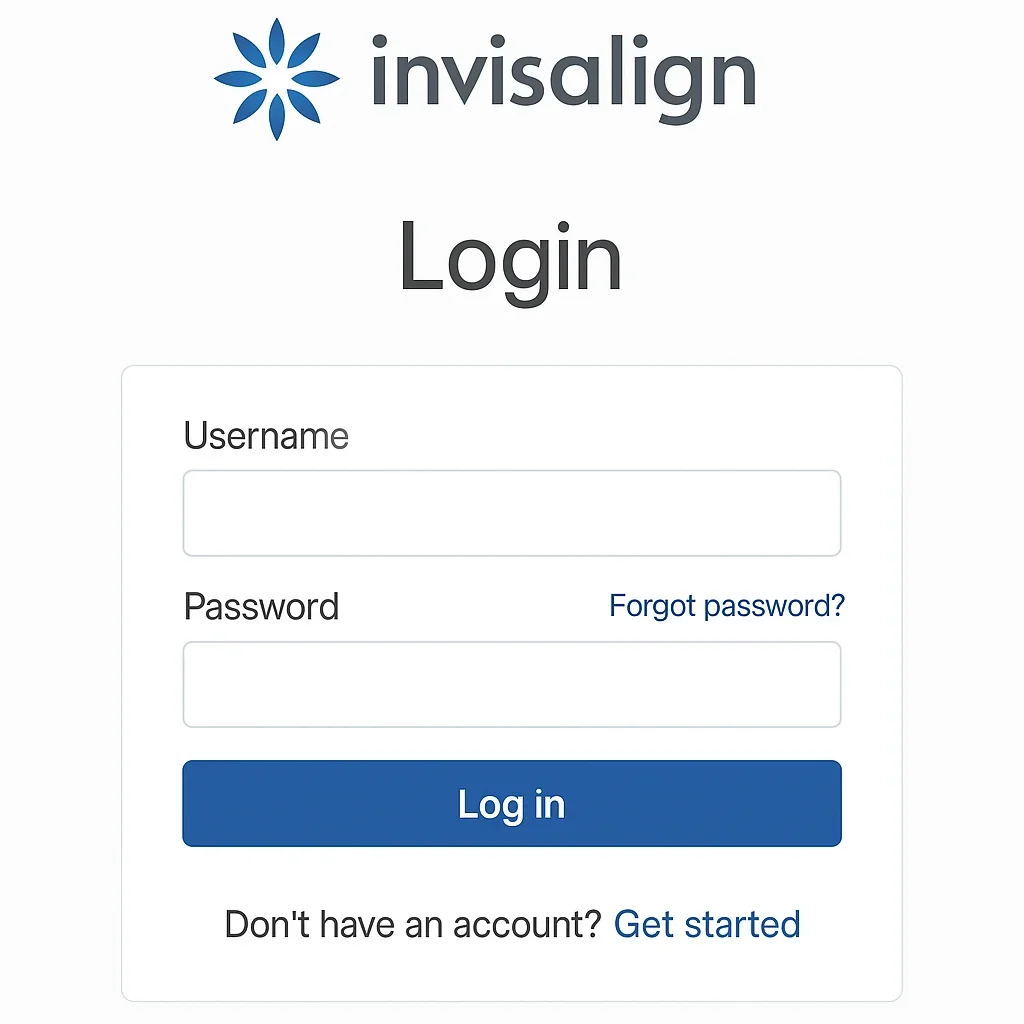
Troubleshooting Common Invisalign Login Issues and Solutions
Even though the Invisalign login portal is one of the most advanced and reliable systems in the world of digital orthodontics, users occasionally encounter technical or access-related problems. These may range from forgotten passwords and mobile sync issues to browser errors or app malfunctions. Understanding how to troubleshoot these challenges effectively ensures uninterrupted access to your treatment information and communication tools. Below, we’ll walk through the most common Invisalign login problems and how to fix them — whether you’re using a desktop, tablet, or smartphone. 🦷
1. Forgotten Password or Username
Forgetting your login credentials is one of the most common problems users face. Fortunately, the Invisalign login system offers an easy password recovery process that takes just a few minutes. If you can’t access your account, click the “Forgot Password?” link on the login page. You’ll be asked to enter your registered email address. After submission, Invisalign will send you a secure password reset link. Click that link, create a new password (preferably strong and unique), and log back into your account.
Best Practices for Password Security
- Use at least 10–12 characters combining letters, numbers, and symbols.
- Avoid using personal information like your birth date or name.
- Update your password every 90 days for added protection.
- Enable two-factor authentication (2FA) if available in your region.
If you still cannot access your account after resetting your password, it’s recommended to clear your browser cache and cookies, then attempt the Invisalign login process again. This removes outdated login tokens that might interfere with authentication.
2. Browser Compatibility and Loading Problems
Sometimes, users encounter blank screens or slow loading times when accessing the Invisalign login portal. This typically occurs due to outdated browsers or blocked cookies. The Invisalign platform is optimized for modern browsers like Google Chrome, Mozilla Firefox, Safari, and Microsoft Edge. Using older versions of Internet Explorer or unsupported mobile browsers can cause compatibility issues.
Step-by-Step Fix for Browser Issues
- Clear your browser cache and cookies.
- Update your browser to the latest version.
- Ensure JavaScript and cookies are enabled in your browser settings.
- Try accessing the site in incognito or private browsing mode.
- If all else fails, switch to another browser or device.
These steps usually resolve 90% of browser-related Invisalign login issues. If not, you can contact technical support directly through the help icon on the login page or via the My Invisalign mobile app.
3. Mobile App Sync and Access Errors
Users of the My Invisalign app may experience syncing issues, where updates made on one device don’t appear on another. This is typically caused by temporary connection interruptions or outdated app versions. To fix this, open the app settings, log out, and then log back in using your main Invisalign login credentials. Make sure you are connected to a stable Wi-Fi or 4G/5G network.
How to Re-Sync Your App Manually
- Open the My Invisalign app.
- Go to Settings → Account → Sync Data.
- Tap “Force Sync” to manually update your account.
- Wait for confirmation that your data has been successfully synchronized.
In most cases, this resolves missing data, such as aligner progress or uploaded photos. If the problem persists, uninstall and reinstall the app to clear cached files. The app automatically re-syncs upon fresh login with your official Invisalign login information.
4. Account Lockout or Temporary Suspension
Repeated failed login attempts can trigger a temporary account lockout. This is a built-in security feature to protect against unauthorized access. If you receive a message stating that your account has been locked, wait 15–30 minutes before attempting again. Alternatively, use the “Forgot Password” option to reset your credentials immediately.
Contacting Support for Locked Accounts
If the lockout persists beyond 24 hours, contact Invisalign Support. Clinics such as Redent Klinik Contact Page can also assist patients with resetting their accounts directly through their provider dashboard. This ensures continuity of treatment without disruption.
5. Verification Email Not Received
New users sometimes report that they never receive their verification or activation email after signing up. This can be due to spam filters or incorrect email entry during registration. If you don’t receive the verification email within 5 minutes, check your spam or junk folder. If it’s not there, return to the Invisalign login page and click “Resend Verification Email.” Double-check that your email address is entered correctly and has no typos.
To ensure delivery in the future, add no-reply@invisalign.com to your email safe sender list. This guarantees that system notifications and password reset links are not filtered out by mistake.
6. Device or OS Compatibility Issues
Occasionally, the Invisalign login portal or app may behave unpredictably on outdated operating systems. For example, older Android and iOS versions might not fully support Invisalign’s encryption or security updates. To fix this, update your device’s OS to the latest version. On iPhones, go to Settings → General → Software Update. On Android, visit Settings → System → System Update.
After updating, restart your device and attempt the login again. This step ensures that security certificates and app libraries are aligned with current server protocols, restoring smooth access to your Invisalign account.
Tip:
If you’re using multiple devices, log out from all other sessions before logging in again. Sometimes, simultaneous access from multiple devices can trigger session conflicts within the Invisalign network.
7. App Crashes or Freezing Problems
If your My Invisalign app freezes or crashes after logging in, it’s likely due to outdated cache files or low device memory. Start by closing other background apps to free up RAM. Then, go to Settings → Apps → My Invisalign → Storage and clear both “Cache” and “Data.” Reopen the app and re-enter your Invisalign login credentials. This often resolves lag or crash issues caused by stored session data.
Another solution is to reinstall the app entirely. Doing so forces a fresh synchronization with the Invisalign cloud, ensuring all information is up-to-date and corruption-free.
8. Connection and Server Issues
In rare cases, the Invisalign login service may be temporarily unavailable due to maintenance or server outages. If you receive a “Server Not Available” or “504 Gateway Timeout” message, the best approach is to wait 10–15 minutes and try again. Invisalign occasionally performs system updates to enhance performance or introduce new features.
Checking Server Status
Visit https://status.invisalign.com or check the official Invisalign social media channels for any reported downtime. You can also contact your provider or check with Invisalign Support for confirmation. These updates are typically short, and your account will become accessible once maintenance is complete.
9. Privacy Settings or Firewall Blocking
Some users experience login issues because of overprotective firewall or VPN configurations. Firewalls that block cookies or scripts may prevent the Invisalign login page from loading correctly. To resolve this, disable VPN temporarily or whitelist the Invisalign domain in your firewall settings. If you are using a corporate or shared network, contact your IT administrator to ensure Invisalign’s domains are not blocked by network security policies.
Privacy-Conscious Browsing Tips
While it’s fine to use security tools, ensure they do not interfere with SSL certificates or encrypted sessions. Invisalign uses HTTPS encryption aligned with the American Dental Association guidelines to protect sensitive patient data. Adjusting your browser’s privacy settings to “Standard” instead of “Strict” usually resolves related issues.
Final Thoughts: Keeping Your Invisalign Login Smooth and Secure
Most Invisalign login issues are simple to resolve once you identify the cause — whether it’s a forgotten password, outdated browser, or mobile app glitch. By following the troubleshooting steps above, you can quickly regain access and continue tracking your orthodontic progress without delay. 🧩
For persistent issues, reaching out to Invisalign’s official support or your dental provider, such as Redent Klinik Contact Page, is the best course of action. With its robust security, responsive support, and frequent updates, the Invisalign platform ensures a smooth and reliable digital experience for all users. Maintaining proper login hygiene — updating passwords, using secure networks, and keeping your app current — guarantees uninterrupted access to your treatment information and the confident smile you’re working toward. 😁